

The most frequent issues are echo, poor audio pickup, blurry or frozen video, and unstable connections. Audio problems are generally the most disruptive, since a meeting can survive poor video but rarely survives audio nobody can understand.
A client’s call drops the second the discussion gets serious. The person dialling in sounds like they’re underwater. Five minutes get burned just figuring out which remote turns the screen on. Owl Labs’ research confirms this isn’t bad luck: 77% of employees have lost time because meetings started late due to technical difficulties, and 67% have given up trying to set up video technology because it was too difficult. The Network Installers
These are meeting room video conferencing issues, and they quietly cost Perth businesses time, credibility, and client confidence every week. This guide breaks down why the problems are increasing, the specific issues businesses hit most often, which ones you can fix yourself, and which ones genuinely need a proper video conferencing installation rather than another quick patch.
Why Video Conferencing Problems Are Increasing in Modern Meeting Rooms
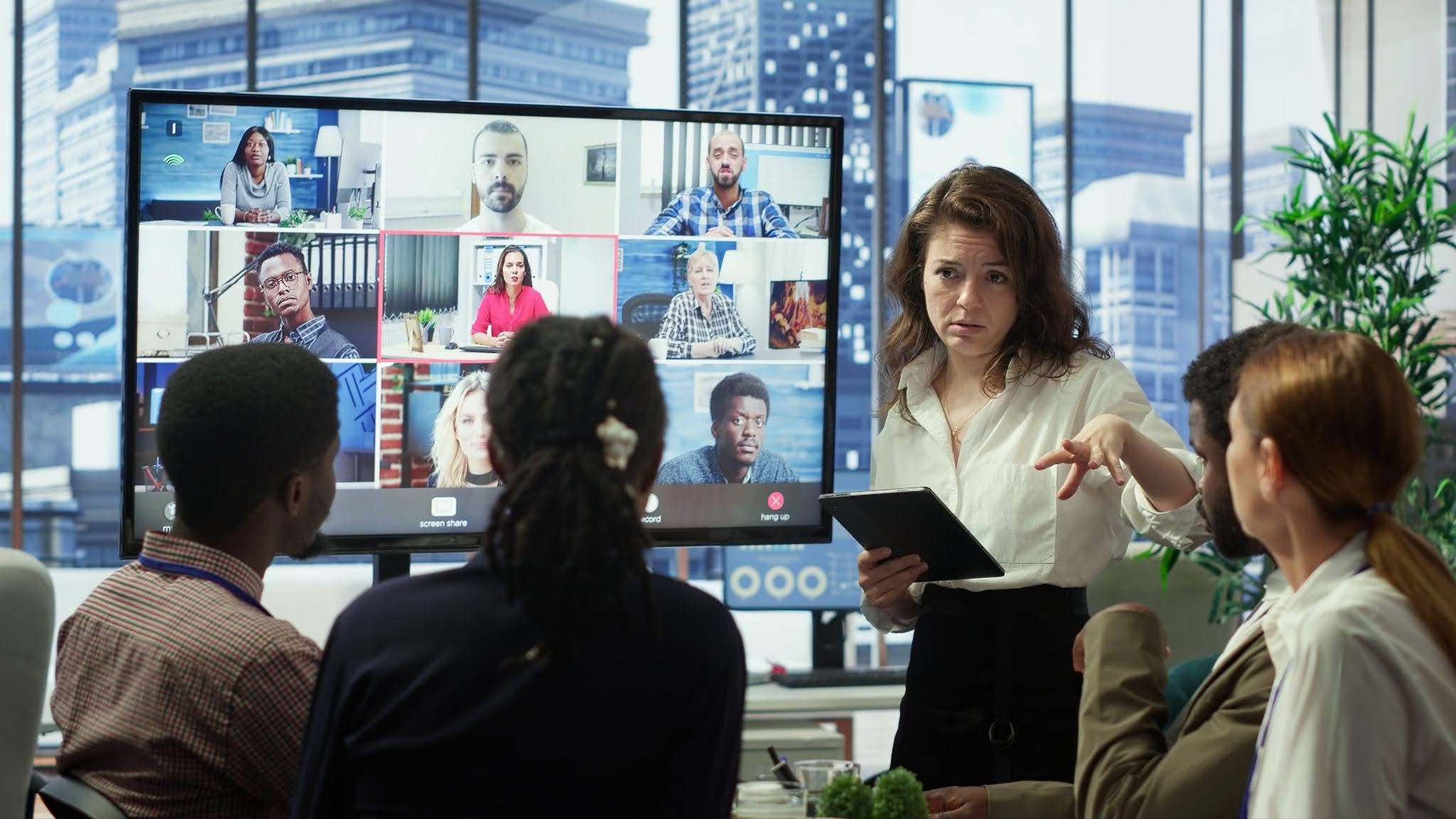
Meeting rooms are being asked to do more than they were ever built for. Most boardrooms were designed for people sitting around a table, not for cameras, microphones, and a screen full of remote faces, depending on that same room to perform properly.
Meeting volume has also climbed sharply. Remote employees now attend an average of 7.3 video calls per week, nearly double the 4.1 average for hybrid workers, meaning rooms once used occasionally are now in near-constant use. At the same time, the equipment in most of these rooms hasn’t changed in years. A laptop’s built-in camera and microphone were never designed to cover a full boardroom, yet they’re still doing that job in a huge number of Perth offices. More calls, ageing hardware, and rooms never designed for hybrid work is a combination that almost guarantees recurring meeting room video conferencing issues. Speakwiseapp
Common Meeting Room Video Conferencing Issues Businesses Face
Most conference room video issues fall into a small handful of repeat offenders. TechTarget’s analysis of meeting room technology found that audio quality is the single biggest concern, since video can drop out entirely and a meeting can continue, but if audio becomes unusable, the meeting typically gets rescheduled. TechTarget
The most frequent issues include:
- Echo and feedback, usually caused by sound from speakers looping back into a microphone, are made worse in rooms with hard surfaces and little soft furnishing.
- Poor audio pickup, where a tiny built-in microphone struggles to capture voices clearly across a midsize or larger room.
- Blurry or frozen video is often the result of outdated cameras, poor lighting, or an unstable connection.
- Slow or failed connections are frequently linked to weak Wi-Fi rather than the conferencing platform itself.
- Confusing or inconsistent controls, where staff waste the first few minutes of every meeting just trying to connect.
Nearly 70% of hybrid meeting participants struggle to see or hear everyone clearly, and technical failures cost an average of 20 minutes per session. Across a business running several meetings a day, that adds up fast, and it’s exactly why boardrooms and training rooms are usually where these issues show up first and most often. The Network Installers
How to Fix Conference Room Video Issues Effectively
Some of these problems are simple to fix on the spot. Others need a more permanent solution.
| Problem | Likely Cause | Quick Fix | When You Need a Pro |
|---|---|---|---|
| Echo during calls | Speakers looping into the microphone, worsened by hard surfaces | Mute when not speaking, reposition the microphone | Persistent echo across multiple rooms needs acoustic treatment |
| Audio hard to hear | Weak built-in microphone or poor placement | Move closer to the mic, lower speaker volume | Upgrade to a dedicated meeting room microphone array |
| Blurry or frozen video | Outdated camera, poor lighting, or unstable connection | Check lighting, clean the camera lens | Replace with a higher-definition, auto-framing camera |
| Frequent dropouts | Wi-Fi congestion or signal interference | Restart the router, close other apps | Move conference devices onto a dedicated wired connection |
| Confusing setup | Multiple remotes, tangled cables | Label cables, simplify the remote setup | Standardise on one-touch joining hardware across all rooms |
The Wi-Fi versus Ethernet distinction matters more than most businesses realise. Devices on Wi-Fi report technical disruptions in 18% of meetings, compared with just 6% for those on a wired Ethernet connection, underscoring that network setup is just as important as the audio and video hardware itself. A quick fix can carry a business through one important call, but if the same conference room video issues keep returning week after week, that’s usually a sign the underlying setup needs replacing, not patching. Zebracat
What are the Best Practices to Prevent Meeting Room Video Conferencing Issues?
Fixing a problem after it’s already disrupted a client call is the expensive way to deal with it. A few consistent habits prevent most issues before they start.
- Test audio before every important call, as people rarely complain about sound quality until it becomes unusable. Partnering with an experienced audio visual Perth provider helps ensure your meeting room audio performs reliably and prevents issues from disrupting important meetings.
- Keep firmware and conferencing software updated, as outdated systems are a recurring cause of lag and dropouts.
- Standardise hardware across every room so staff aren’t relearning a new setup each time they walk into a different space, and prioritise wired connections for any room used regularly for client or board calls, given that poor audio quality, dropped connections, and conference rooms that aren’t properly equipped are consistently the most common technical disadvantages businesses report.
- For boardrooms with hard surfaces or poor natural acoustics, basic acoustic treatment resolves echo issues that no amount of software tuning ever fully fixes. TechTargetThe Network Installers
How Smart Meeting Room Technology Reduces Conference Room Video Issues
Modern meeting room hardware is built to solve the issues above at the source, rather than relying on staff to troubleshoot mid-call. Dedicated conferencing systems combine noise-isolating microphones, automatic camera framing, and one-touch joining into a single setup, removing most of the manual guesswork that causes delays.
This matters because 66% of video conferencing participants say poor audio quality is more distracting than poor video resolution, yet audio is frequently the most neglected part of an ageing setup. Properly specified equipment, rather than a laptop’s built-in camera and microphone, directly addresses the issues businesses notice most, and it’s the same principle behind a well-designed Training and Boardrooms fit-out. Zebracat
Choosing the Right Video Conferencing Setup for Your Meeting Rooms
Not every room needs the same solution. A small huddle space has very different requirements to a twelve-person boardroom, and mismatched equipment is one of the most common reasons these issues keep recurring even after a so-called upgrade.
The right setup depends on room size and shape, how often the room is used, whether the network can support reliable wired connections, and how many rooms need consistent, standardised equipment. Rooms with hard floors, glass walls, or high ceilings typically need acoustic treatment alongside any audio upgrade, since echo is a room problem before it’s ever a hardware problem. Getting these details right from the outset avoids the costly cycle of patching a system that was never properly specified to begin with.
Conclusion
Meeting room video conferencing issues rarely come down to bad luck. They’re almost always the result of rooms that were never properly equipped for how often, and how seriously businesses now rely on video calls, and the cost is measurable: technical failures cost hybrid meetings an average of 20 minutes per session. Some of these issues are a five-minute fix. Others, like persistent echo, recurring dropouts, or rooms that need standardising across multiple sites, need a proper assessment rather than another temporary workaround. The Network Installers
If your business is dealing with recurring video conferencing issues, the smartest first step is getting the room properly assessed. At 3 Monkeys AV, we run a free $250 AV system analysis for every Perth business, identifying exactly what’s causing your meeting room problems before recommending a solution. Our team designs, supplies, installs, and trains your staff on the system ourselves, with no subcontractors and no bundled pricing surprises, and we stay on hand for ongoing support long after installation. If your meeting rooms keep letting you down, get in touch with 3 Monkeys AV to find out what’s actually causing it.