


A scalable video conferencing solution has a centralised dashboard to manage various room configurations. It should also integrate well with existing office hardware.
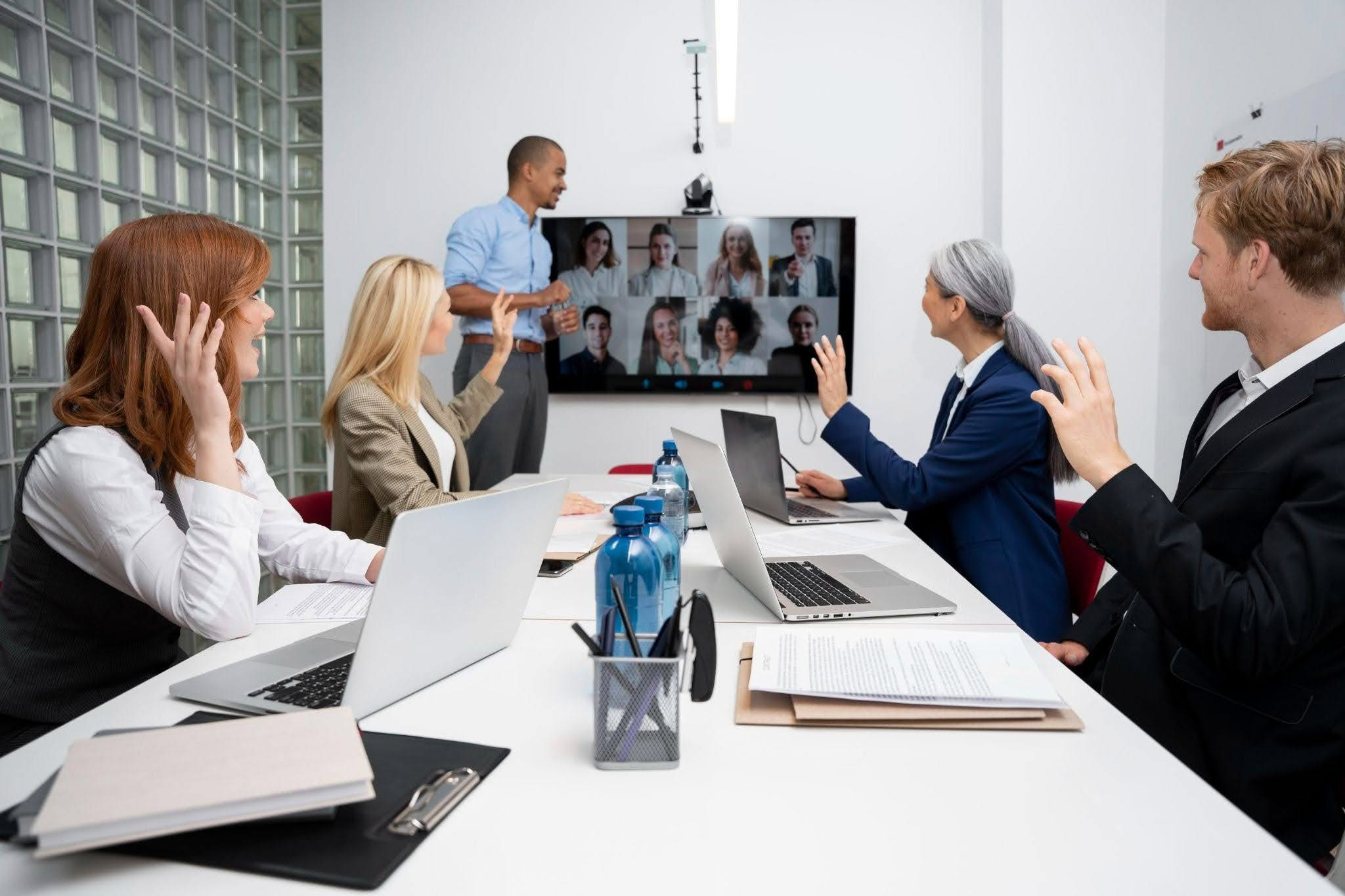
A scalable meeting space can grow with a business without a technology overhaul. Video conferencing solutions achieve this with flexible equipment and consistent room designs. The systems can support different meeting sizes and work styles.
According to AHRI’s 2025 Hybrid and Flexible Working Report, 29% of employers in Western Australia mandate full‑time employees to be in the physical office at least four days a week. A majority still operate hybrid or flexible arrangements. So, a well-designed meeting room can make it easier for employees, clients, and partners to join the same conversation, no matter the location.
What Makes a Video Conferencing Solution Scalable for Businesses?
A scalable video conferencing setup works just as well in a four-person huddle room today as it does across a floor of boardrooms in three years. The key is designing every room on a common platform, so growth means adding rooms, not starting again. Here’s what that looks like in practice:
- Flexible room configurations
Each room gets the camera, microphones, display and speakers its size and acoustics need, all built on the same platform. When a room changes use, components can be swapped or added without ripping out the whole system.
- Consistent user experience
Staff shouldn’t have to relearn how to start a meeting in every room. Standardising on one platform, such as Microsoft Teams Rooms, with the same touch controller everywhere means one tap to join, whether it’s a huddle room or the boardroom.
- Support for different room sizes
A huddle room might need nothing more than an all-in-one video bar. A large boardroom may need multiple cameras with speaker tracking, ceiling microphone arrays, a DSP and dual displays. A scalable design matches each room to the right tier, without over or under-spending.
- Easy integration
Modern video conferencing systems for businesses can integrate with meeting platforms, room-booking systems, displays and other workplace technology. Rooms then show availability, auto-join scheduled meetings and fit into how your IT team already works.
- Room to expand
A business may add more meeting rooms, or introduce new collaboration technology over time. The initial system design of the video conferencing solution should allow for these changes.
- Simple management and support
Once you have more than a handful of rooms, checking each one by hand doesn’t work. Cloud management tools such as Teams Rooms Pro let your AV partner monitor every room remotely, push updates and often fix faults before staff notice them.
How Do Video Conferencing Companies Design Systems for Different Meeting Spaces?
The best video conferencing companies in Perth start with the room and how people use it. The goal is to match the technology to the room’s size, layout, acoustics, and meeting requirements.
- Assess the room
Specialists look at factors such as:
- Room dimensions to determine camera coverage and microphone pickup range
- Seating capacity to know how many people need to be seen and heard correctly
- Table layout for proper camera positioning
- Natural and artificial lighting to ensure that faces remain visible on camera
- Acoustic conditions that affect microphone and speaker performance
- Display position of the video conferencing equipment
- Available power and network connections
- Define how the room will be used
A two-person huddle room has different requirements from a boardroom for client presentations. Designers consider whether the room will mainly support the following activities:
- Video meetings
- Presentations
- Hybrid meetings
- Training sessions
- Team collaboration
- Large group discussions
- Select the right camera setup
Camera choice depends on the room and number of participants. Smaller spaces may only need a single camera whilst larger meeting spaces and boardrooms require wider views or multiple cameras. Additionally, larger rooms benefit from speaker tracking or multiple camera angles.
- Plan microphone coverage
In a hybrid meeting, remote attendees judge the whole meeting by how well they can hear. Microphones should be chosen and positioned for the seating layout, so every seat sits within a mic’s pickup zone. Beamforming ceiling or table arrays can focus on whoever is talking while rejecting air conditioning hum and corridor noise.
- Choose suitable displays and audio
Display size in a video conferencing solution should be suitable for the viewing distance and room layout. Larger rooms have remote participants as well. Such rooms would benefit from multiple screens so people can see remote attendees and shared content easily.
- Build a consistent control system
A single touch panel that starts the meeting, selects the source and adjusts volume removes most of the frustration from meeting rooms. Using the same interface in every room means staff learn it once and can walk into any space and get started.
- Allow for future expansion
A well-designed system plans for the next stage, whether that’s extra rooms, upgraded cameras, more displays or integration with room booking and building systems. Building in spare cabling, rack space and network capacity now saves major rework later.
A specialist for audio-visual in Perth designs each room around its purpose and maintains consistency in the overall technology.
What Types of Video Conferencing Systems Can Businesses Use?
Businesses can choose from compact all-in-one conferencing bars, complete meeting-room packages or flexible wireless systems. 3 Monkeys AV supplies solutions from leading brands like Logitech, Yealink, Poly, Crestron, Cisco, AVer and Barco. We select equipment in accordance to room size, acoustics, and how the space will be used.
All-in-one conferencing bars
All-in-one bars combine the camera, microphones, speakers and processing into a single unit, making them practical for smaller meeting spaces. For example, the Logitech MeetUp is designed for huddle and small conference rooms. It has an extra-wide field of view, integrated audio and automatic framing. Other options include the Logitech MeetUp 2, Logitech Rally Bar Huddle, and Yealink A20 and A40 Bars.
Complete Microsoft Teams Room systems
For businesses that want a dedicated meeting-room experience, integrated packages are the best option. Packages can combine conferencing bars with a touch controller or alternative room equipment.
The Logitech Rally Bar + TAP IP package supports Microsoft Teams Rooms and can also operate in BYOD or appliance mode. You can add more microphone pods for larger rooms that require greater audio coverage.
Modular conferencing systems
Larger boardrooms may need more than an all-in-one bar. Modular systems can add microphone pods, separate speakers, cameras, and control equipment to extend coverage across the room. Additionally, they have microphone pods available for larger spaces.
Wireless video conferencing systems
Wireless conferencing systems connect participants to the room’s AV equipment without requiring multiple cables. The Barco ClickShare CX-50 connects laptops to room cameras, microphones, speakers, and displays. It also supports wireless content sharing, touchback, annotation and collaboration across large meeting spaces and boardrooms.
Which system suits which space?
The table below will help you match your meeting space with the ideal video conferencing solution approach
| Meeting space | Common system approach |
| Huddle room | All-in-one video bar or compact room system |
| Small meeting room | All-in-one or dedicated room system |
| Medium meeting room | Advanced video bar or expandable room system |
| Boardroom | Modular AV system with multiple cameras and professional audio |
| Training room | Integrated or modular AV with content-sharing features |
| Large or divisible space | Professional AV architecture with multiple cameras, microphones and displays |
How Can Video Conferencing Solutions Support Different Business Needs?
Video conferencing solutions support varying business needs because the technology is designed around a company’s workflow. A single meeting infrastructure can support collaboration, presentations, training and communication across locations.
- Hybrid meetings: Employees can join meetings from the office or remotely. Cameras and microphones help remote participants see and hear the people in the room clearly.
- Communication between offices: Businesses with teams in Perth, Sydney, Melbourne or regional WA can use video conferencing to communicate without requiring everyone to reach the physical meeting space.
- Client and supplier meetings: A reliable room setup can provide a more consistent experience when businesses meet with customers, suppliers and external partners.
- Team collaboration: Teams can share all types of content during meetings. This makes video conferencing useful for everyday project discussions.
- Training and onboarding: Businesses can use meeting rooms to deliver training to employees in different locations, which is easier with a suitable camera and audio setup.
- Executive and board meetings: Boardrooms often need stronger audio coverage and displays. The system can be designed to support in-person and remote participants.
- Growing teams: As a company adds employees or offices, additional rooms can follow the same technology standards. There is no need to create a completely different setup in every room.
What Should Businesses Consider When Choosing a Scalable Video Conferencing System?
Business should look beyond the camera and screen when choosing a scalable conferring system. The system should suit the current meeting environment whilst leaving enough flexibility for future changes.
1. Size and layout of the area
A small huddle room and a large boardroom have different AV requirements. Consider seating capacity, table position, viewing distance, and room layout before selecting equipment.
2. Audio quality
Poor audio can make a meeting difficult even when the video is clear. Microphones should capture voices across the meeting area, while speakers should deliver clear sound without excessive echo.
3. Camera coverage
The camera should provide an appropriate view of everyone in the room. Larger spaces may benefit from wider-angle and multiple-camera or speaker-tracking configurations.
4. Meeting platform compatibility
Check whether the system works with the platforms employees and clients use. This can include Microsoft Teams, Zoom, and similar common conferencing services.
5. Ease of use
Your staff should be able to join a meeting and use different controls without technical assistance. Simple room controls can reduce delays at the start of meetings.
6. Integration with your existing technology
The conferencing system should work with the existing IT technology in the workplace, such as displays, room-booking tools, and wireless presentation systems.
7. Network and connectivity requirements
Video meetings rely on a stable network connection. Businesses should consider bandwidth, wired and wireless connectivity, network security, and IT requirements as part of the system design.
8. Management and maintenance
Larger deployments can become difficult to manage if every room uses different equipment. Centralised monitoring and remote management make it easy to identify IT issues.
9. Future upgrade options
Technology and workplace needs change. Choose a system that allows components to be upgraded or expanded, not replaced.
Conclusion
Scalable meeting spaces are built around more than video calls. They combine the right AV tools, software, and room controls for how people work. Working with an experienced video conferencing specialist can help businesses match technology to each meeting space and create a consistent experience across rooms. Meetings then become easier for employees and their rising collaboration needs.