To view this resource, simply complete the information below. Once you have entered your details, you will receive unlimited ongoing access to all Product Flyers and Pricing Guides on this device.
Access Education AV Price Guide
To view this resource, simply complete the information below. Once you have entered your details, you will receive unlimited ongoing access to all Product Flyers and Pricing Guides on this device.
Product of the Week: The 98″ 4K IG-Touch Interactive Panel! Immerse yourself in a world of interactive possibilities with this cutting-edge technology.
Increase audience engagement and collaboration with effective, interactive presentations.
Offering 20 Point Touch, Built in whiteboarding functionality, Wireless presentation, and a large 5 Year Warranty. Elevate your workspace to with the ultimate interactive solution.
Wall Mounted Acoustic Panels by Primacoustic. Elevate your sound experience with these cutting-edge panels designed to enhance acoustics in any space, including; Classrooms, Boardrooms, Offices, Libraries, Restaurants & Churches.
Their sleek design seamlessly integrates into any decor, offering both aesthetic appeal and functional excellence.
For more information head to https://loom.ly/sK3WRSE or call us on (08) 9228 1681
The Mipro MA505 Portable PA System, is a fantastic lightweight portable PA System packed with power.
You can choose from 3 different models from a simple solution with a corded microphone, up to a dual wireless microphone system with a USB/SD Player & Recorder and built in Bluetooth.
This system is perfect for Celebrants, Schools, indoor/outdoor events, sporting classes and more.
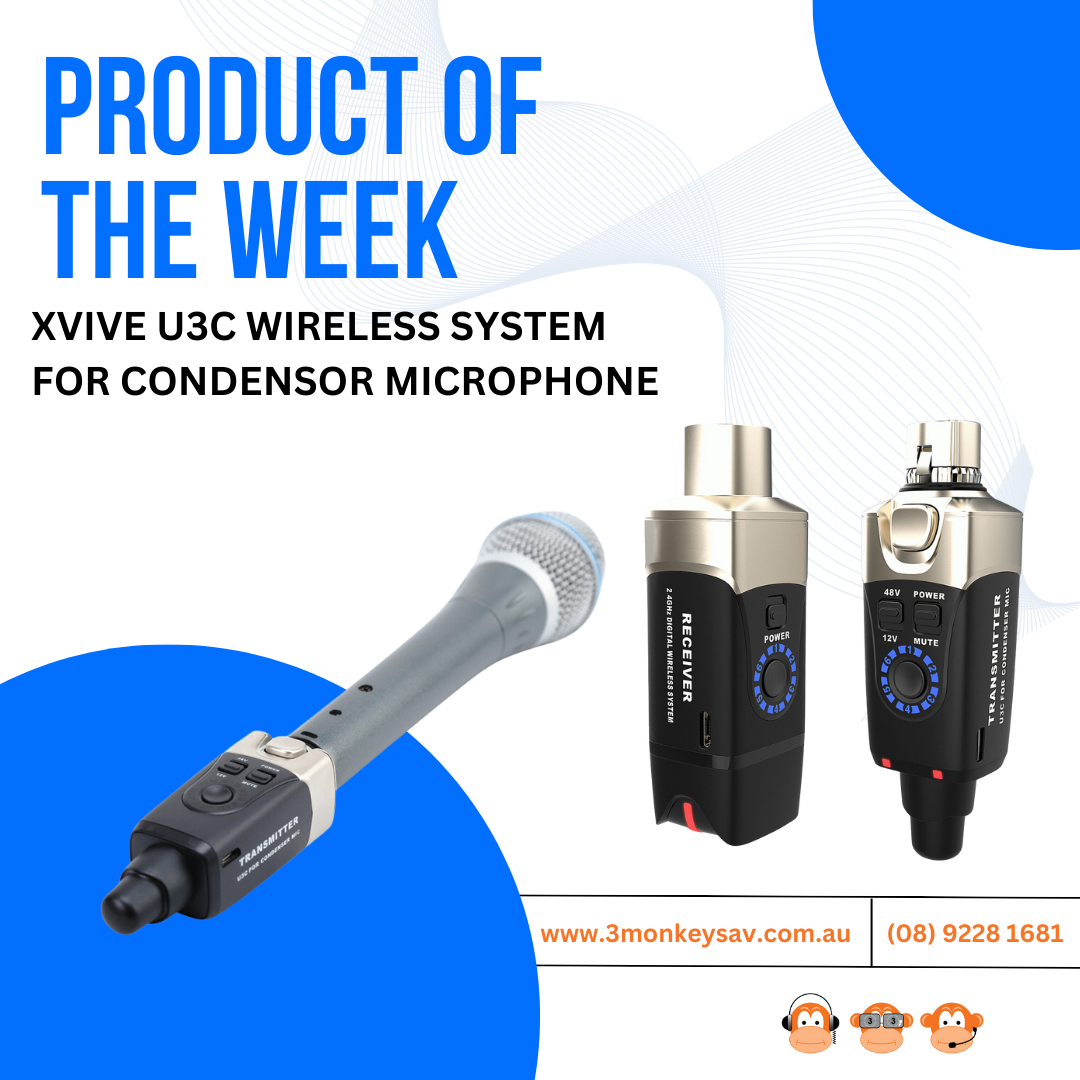
The Xvive U3C wireless aims to turn any of your standard condenser microphones into wireless microphone system.
Simply plug the receive into the end of any XLR condenser microphones & the receiver into your audio system for a simple wireless microphone solution.
In the fast-paced world of business, efficient communication is key. With the increasing reliance on video conferencing systems, creating an environment that offers clear and effective communication has become more crucial than ever. One often overlooked aspect that significantly contributes to the success of video conferencing is the acoustics within the space, many open space areas and meeting / boardrooms have poor acoustics, affecting the quality of your conferencing calls.
That is why it is essential to have one of the Boardroom AV specialists from 3 Monkeys AV come out to your space for a free site visit, to review your space and discuss the best suited option for you.
In this blog, we will explore some of the reasons why acoustic treatment plays a vital role in optimizing the sound quality of video conferencing systems.
Minimizing Reverberation for Clear Communication
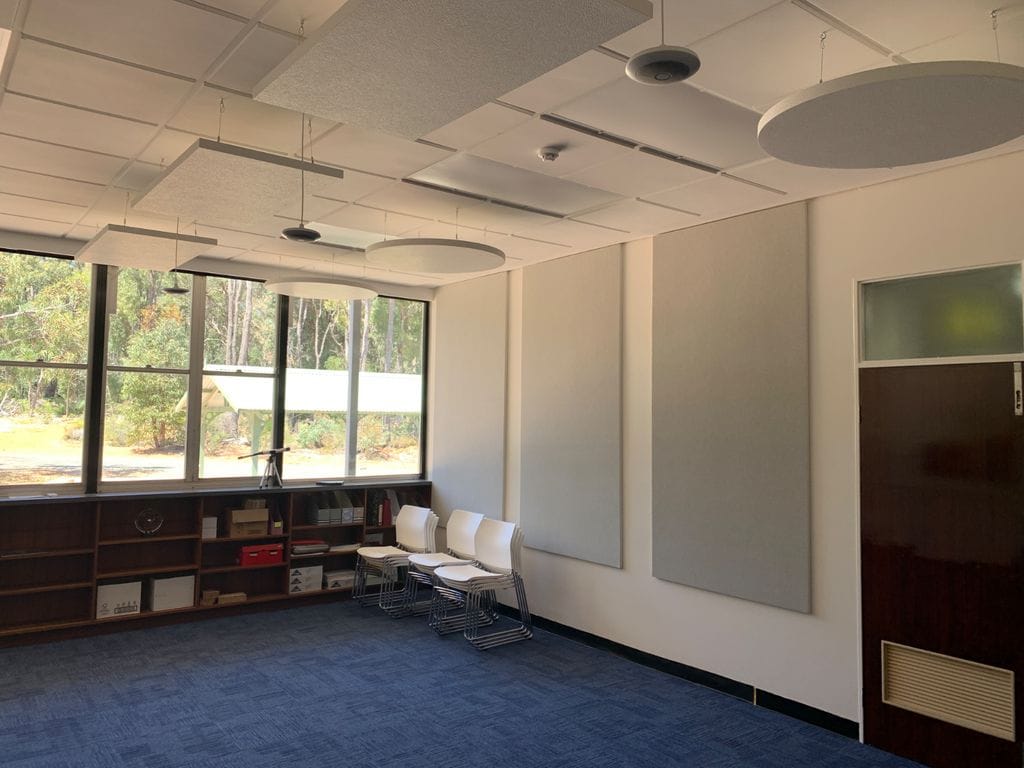
Reverberation happens when sound lingers in a room even after the noise stops. This can be a big problem for clear communication, especially in a boardroom where sound can bounce off walls, making it hard to hear and understand what’s being said. By implementing acoustic treatments such as ceiling-suspended cloud panels and wall-mounted acoustic panels, it’s possible to minimize reverberation significantly.
Improving Sound Absorption for Enhanced Sound Quality
Acoustic treatment materials are designed to absorb sound energy rather than reflect it. When strategically placed, these treatments help absorb excess sound waves, preventing them from bouncing around the room. This not only improves sound quality but also ensures that participants in a video conference can hear each other more clearly without the interference of background noise or echoes.
Creating a Distraction-Free Environment
In a boardroom, distractions can come in many forms – from external noises to echoes that make it challenging to focus on the conversation at hand. Acoustic treatments act as a barrier to these distractions, allowing participants to concentrate on the meeting without being disrupted by unwanted sounds. This creates a more professional and productive atmosphere for video conferencing sessions.
Enhancing Training Environments
While the focus here is on boardrooms, the transformation achieved through acoustic treatments is not limited to Boardrooms. The implementation of ceiling-suspended cloud panels and wall-mounted acoustic panels in spaces like training spaces or open plan presentation areas can contribute to a better learning environment. Clear communication is vital in educational settings, and acoustic treatments can ensure that those learning can hear their instructors and fellow team members with ease.
The implementation of acoustic treatment in boardrooms is a strategic investment in optimizing the functionality of video conferencing systems. Acoustic treatments minimise reverberation, improving sound absorption, creating a distraction-free environment, and enhancing overall sound quality.
As businesses continue to embrace remote collaboration, the importance of acoustics in boardrooms should not be underestimated – it’s a silent but powerful contributor to the success of modern communication. To find out more about our Acoustic treatment solutions available, please call 3 Monkeys Audiovisual on (08) 9228 1681 to speak to one of our friendly experts.
In today’s fast-paced business world, effective online communication is paramount, and video conferencing has become an integral tool for connecting colleagues, clients, and partners across the world. Selecting the right video conferencing solution for your space involves considering several key factors. With the expert assistance of 3 Monkeys AV you will be left with the best suited VC solution for your space and requirements.
Integration is Key
We understand that businesses use a variety of communication applications, from Microsoft Teams and Zoom to Google Meet and Skype.
Whether you prefer a specific software to be locked to that room, e.g. a Microsoft Teams Room, with the room having its own individual MS Teams licence or you may opt for an Agnostic / Bring Your Own Device (BYOD) approach, or alternatively have both options available in the room. With guidance from the experts at 3 Monkeys AV your video conferencing solution can be customized to ensure correct compatibility, providing you with a hassle-free experience.
Tailoring to Room Size and Capacity
The size of your meeting space is a critical factor in determining the most suitable video conferencing setup. Our solutions, crafted with the expertise of 3 Monkeys AV, cater to various room types, including Huddle Rooms, Medium Meeting Rooms, Large Meeting Rooms, and Training Auditoriums. By considering factors such as room dimensions, acoustics, and seating capacity, we tailor the solution to your specific needs. This ensures that the technology seamlessly integrates into your space, optimizing both functionality and user experience.
Meeting the Needs of Diverse Users and Purposes
Whether your organization is a large corporation, a provider of public meeting spaces, or a business with a versatile boardroom used by both internal staff and external presenters, our video conferencing solutions can be customized accordingly.
For internal use, we ensure network and application uniformity. For external usage, our BYOD options provide flexibility, allowing users to plug-and-play connect with their preferred devices. This versatility ensures that our solutions meet the unique requirements of your organization, regardless of its size or specific use.
Beyond the Basics
While considerations like integration, room size, and user diversity provide a solid foundation, our bespoke video conferencing solutions go beyond the basics. Our experts address additional variables such as:
Additional microphones & configuration, camera & speaker placement, touch control systems, wireless connectivity, room booking panels and cabling requirements/accessibility.
Our experts, at 3 Monkeys AV, are here to handle complexity, designing a solution perfectly tailored to your business. Call us on (08) 9228 1681 to book in for a FREE extensive site analysis so we can discuss all your requirements and provide a quote for a video conferencing solution you can trust.
The Primacoustic Nimbus Cloud Acoustic Panels stand as a sophisticated solution for achieving optimal sound control in diverse environments. Designed with both functionality and aesthetics in mind, these panels are suspended from the ceiling to effectively mitigate excess reverberation and control sound reflections. Engineered with high-density glass wool core, the Nimbus Cloud panels ensure superior absorption across a broad frequency range. Their unique design resembles a suspended cloud, adding a visually appealing element to any space while maintaining a discreet and professional appearance. Ideal for recording studios, classrooms and conference rooms, the Nimbus Cloud Acoustic Panels excel in creating an acoustically balanced environment, allowing for clearer communication and enhanced audio experiences.
The project at our clients office involved fitting out four rooms for video conferencing solutions. Additionally, the ground floor room required the flexibility to merge two separate rooms into one large space. The client also expressed a future need to upgrade the system to integrate with Microsoft Teams Room.
Site visit / Discussions
A site visit was conducted to fully understand the client’s requirements and to ensure that the proposed solution aligned with their needs.
Challenges Faced
Room Combining ground floor meeting rooms 1 & 2 into one large room while ensuring the system accommodates the change.
The layout of Meeting Room 1 posed difficulties in wall-mounting the TV and video conferencing bar.
Movable meeting tables in both rooms made it challenging to implement a table box and permanent cables.
Proposed Solutions
For the ground floor meeting rooms, we recommended the Logitech Rally Bar with an extension microphone for flexibility during room combinations.
Meeting Room 1’s layout challenge was addressed by proposing an articulate TV mount that could swing around toward the meeting table, with the video conferencing bar mounted below.
To overcome the movable tables issue, we suggested incorporating an HDMI/USB wall plate near the meeting table for easy connectivity with BYO laptops.
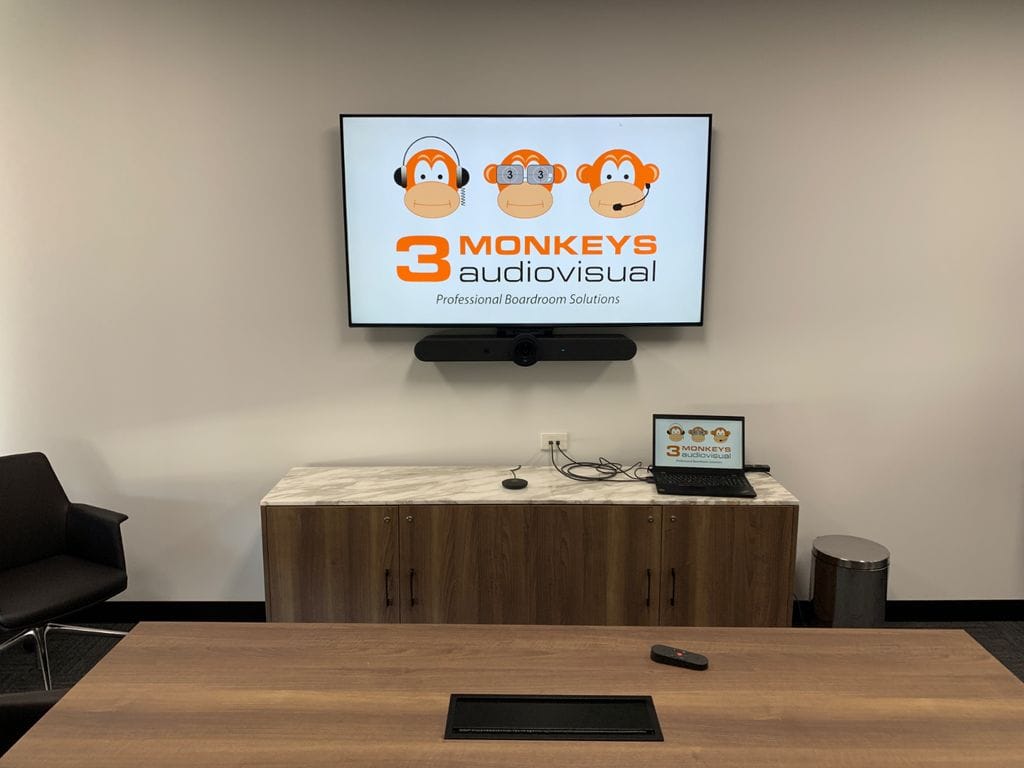
Our client sought a streamlined huddle room solution featuring a Logitech Meetup All-in-one Conference Bar with BYOD connectivity facilitated through an in-table connection box.
The primary goal was to establish a neat and efficient huddle room setup that would seamlessly integrate with (BYOD) connectivity.
SITE VISIT, DISCUSSIONS & SOLUTIONS
Our team conducted a thorough site visit and engaged in discussions with the client. During these interactions, it was identified that the room acoustics needed improvement to minimize echo. The client agreed to address this concern by installing additional sound-absorbent materials.
On the site visit it was also discovered that the cables couldn’t be routed underground. To overcome the this, we proposed a solution that involved neatly running the cables across the floor. This was achieved by guiding the cables under the table and through an in-table connection box. To maintain a tidy appearance, we concealed the cabling using black velcro cable covers.
SUMMARY
The implemented solution successfully provided our client with a state-of-the-art huddle room display featuring the Logitech Meetup All-in-one Conference Bar. The in-table connection box streamlined BYOD connectivity, enhancing collaboration capabilities. Additionally, the Velcro cable covers contributed to the aesthetics of the room, creating a professional and uncluttered environment.
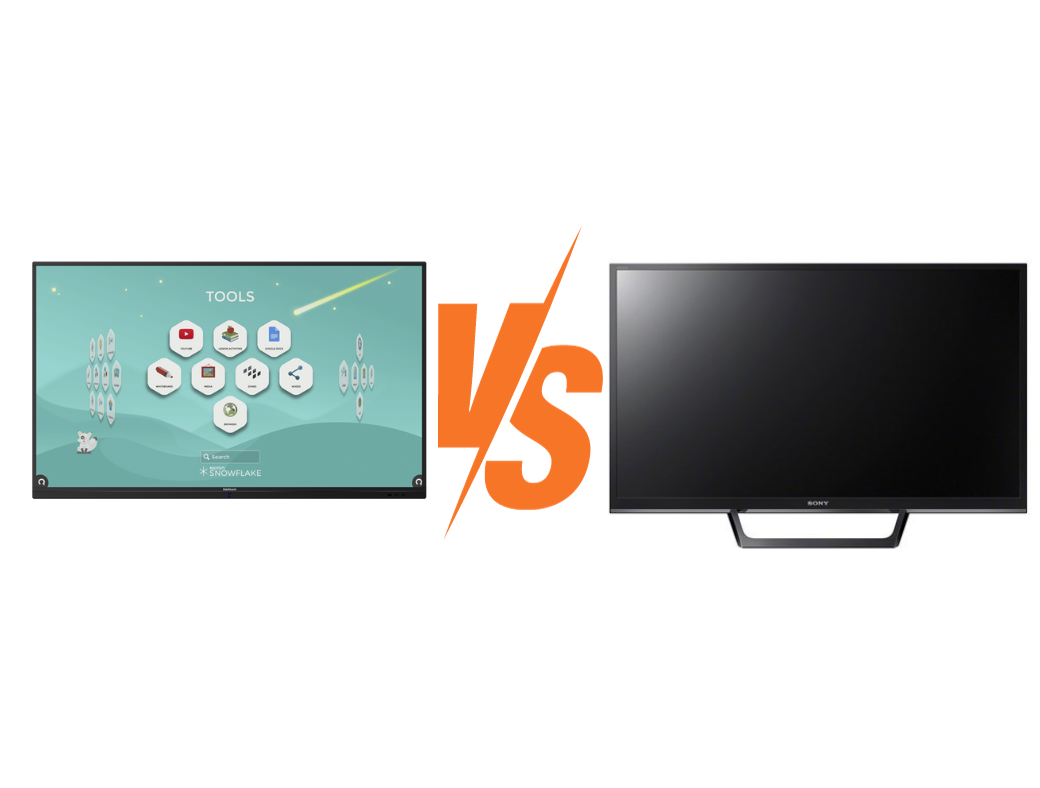
A TV is simply a device for watching, not touching. TVs should never be touched with your hands or fingers and should never be written on with a whiteboard marker as their screens are not built to have any pressure placed on the surface. Our Edutouch Interactive Classroom Solutions, however, are built to withstand heavy use. They have durable screens with toughened glass, designed to handle constant touching and writing without damage.
In addition to durable screens, EduTouch Interactive Classroom Solutions have electronics that are built to run all day long, unlike TVs which are not as robust. EduTouch Interactive Panels will outlast most TVs within a classroom environment when used daily, making them a more durable, longer-lasting option compared to traditional TVs.
More than Double the Warranty
Most TVs come with a 1 year residential or 3 year commercial warranty, depending on the brand. By contrast, our EduTouch Interactive Classroom Solutions come with a Massive 7 Year Warranty… Plus it’s On Site.
Should you have a faulty TV, personnel from school, IT or your nominated contractor will be required to remove and return the TV to the vendor or repairer and then collect and re-install.
With the 3 Monkeys AV EduTouch Interactive Classroom Solution, you won’t have to worry about removal, repairs, or reinstallation – we take care of everything for seven years.
Never buy another whiteboard marker – Advanced On Screen Annotation with Finger or Provided Stylus
Why would you keep buying whiteboard markers and writing on an old whiteboard? Whiteboards need to be erased over and over, without the ability to save anything that has been drawn or written.
Intuitive whiteboarding annotation and screen mark up is made simple and effective with the built in writing and annotation tools on an EduTouch Interactive Classroom Solution. Multiple screens / slides or pages can be created and saved on the board easily, with instant recall, saving you time and money.
Comprehensive Wireless Capabilities and Teacher Control
Enjoy Full Wireless features with any device (Apple Air / Chromecast / Mirrorcast + Simultaneous Multiple Device Display and Teacher Control.
While your TV may have some wireless features, an EduTouch Interactive Classroom Solution takes it a step further. It offers versatile wireless connectivity with various devices, such as Apple Air, Chromecast, and Mirrorcast, along with the ability to monitor and control your students’ devices, empowering you as an educator.
Multi-Purpose Functionality:
Interactive panels offer great versatility and can be used for various purposes. The EduTouch Interactive classroom solution seamlessly merges the conventional classroom whiteboard and standard TV, combining them into a multi-purpose, all-in one interactive 4K Display. Making it the perfect tool for engagement in the classroom.
Not only can EduTouch Interactive Display function as a digital whiteboard and presentation display for educational purposes, they can also transform into a video conferencing tool (with additional equipment). This versatility makes them a cost-effective solution for both the educational and professional setting, giving you the flexibility to convert a large school area/classroom into a space for larger staff video conferencing meetings.
Free Software Included + Free Unlimited Training
Your standard smart TV may have a few entertainment apps, such as Netflix, You Tube, and even a built in Browser. But, have you ever tried to use the built in browser with the remote control? And how often do you require Netflix in your classroom? Wouldn’t it be better to have full control of a Web Browser with on screen or Keyboard and Mouse control? Wouldn’t it be more engaging for your students, if the teacher is able to show relevant content and create or deliver topical lessons within a software application.
That’s exactly what you get for Free when you purchase an EduTouch Interactive Display for your classroom.
Not only does that functionality come 100% free but we also throw in unlimited training for the EduTouch Interactive Classroom Solution and included software so teachers can get the most out of the system, providing a higher level of engagement for their students, simplified access to a broader range of content and novel delivery options to support teachers in providing the best for their students.