

How Do You Choose the Right Video Conferencing Company for Your Business?

By Francis Fragomeni,

When you choose a video conferencing company, look at their equipment range, installation experience, ongoing support and how well they understand your specific room and workflow, not just at who quotes the lowest price. 

The wrong choice leaves you with dropped calls, poor audio and a system nobody wants to use, while the right one becomes something your whole team relies on every day.

Getting this decision right matters more than most businesses realise, because a video conferencing system isn’t a one-off purchase you set and forget. 

Among the many video conferencing companies operating across Australia, the differences in equipment quality, installation standards and after-sales support can be significant, so it pays to know what to look for before you sign a contract.

Why Is Choosing the Right Video Conferencing Company Important for Your Business?

Choosing the right video conferencing company matters because the system you install shapes how well your team communicates every single day, not just during the occasional big meeting. 

A poorly matched setup causes constant small frustrations, and those frustrations add up fast. Get it wrong and you’ll likely deal with:

  • Cameras that don’t suit your room size, leaving people at the edges of the table out of frame
  • Audio dropouts or echo that make important client calls embarrassing
  • Equipment that’s incompatible with the software your team actually uses
  • No local support, so a fault means days of downtime instead of a quick fix
  • Staff avoiding video calls altogether because the system is unreliable or confusing

What Factors Should You Consider When Choosing a Video Conferencing Company?

The main factors to weigh when choosing a video conferencing company are the provider’s product range, installation process, support model, and whether they design solutions around your specific rooms rather than selling a generic package. A few things worth checking before you commit:

  • Whether they supply commercial-grade brands like Logitech, Yealink, Poly, Crestron, Cisco or Barco, rather than consumer-grade gear
  • Whether they offer a site visit or room assessment before recommending hardware
  • What warranty and support terms come with the installation
  • Whether they can scale the solution as your business grows or adds more meeting rooms
  • How they handle training so your staff actually know how to use the system on day one

How Do Professional Video Conferencing Providers Support Business Communication?

Professionals support business communication by matching hardware to your room, your team size and how you actually work, then backing it up with real support after installation. 

This is where the difference between a generic online retailer and a specialist installer becomes obvious.

A professional video conferencing provider typically handles the full process, including a site visit to understand your space, a demonstration of suitable equipment, professional installation covering cabling and mounting, and staff training so the system gets used properly from the start. 

This end-to-end approach means fewer compatibility issues, fewer support calls down the track, and a system that actually matches how your team communicates day to day.

What Features Should You Look for in Business Video Conferencing Solutions?

The features that matter most in business video conferencing solutions are the ones that remove friction from everyday meetings, not flashy extras you’ll never use. Look for:

  • Auto-framing cameras that automatically keep speakers centred and visible as people move around the room.
  • Noise-cancelling microphones with a pickup range suited to your actual room size.
  • Wireless content sharing so staff can present from a laptop or phone without hunting for cables.
  • Multi-platform compatibility so the system works with Teams, Zoom or whatever software your clients use.
  • Room booking integration to stop double-bookings and awkward interruptions.
  • Scalable design that can grow from a small huddle room setup to multiple boardrooms as your business expands.

How Can You Evaluate a Video Conferencing Company’s Experience and Expertise?

You can evaluate a video conferencing company’s experience by checking how long they’ve operated, the range of industries and room types they’ve worked with, and whether they can show real installation examples rather than just product brochures. Years in business is a decent starting indicator, but it’s not the whole picture. Also look for:

  • Case studies or project examples covering boardrooms, huddle rooms, training rooms and large venues.
  • Certifications or partnerships with major brands, which usually signal proper product training.
  • Reviews or testimonials from businesses in your industry or of a similar size.
  • A physical showroom or experience centre where you can actually test equipment before buying.
  • Staff who can explain the technical side clearly without drowning you in jargon.

What Questions Should Businesses Ask Before Selecting a Video Conferencing Provider?

Before selecting a provider, ask direct questions that reveal how they actually work, not just what they sell. Useful questions include:

  • What happens if a piece of equipment fails outside business hours?
  • Can you show me a similar room you’ve installed for another client?
  • What’s included in the installation cost, and what counts as an extra?
  • How do you handle software updates and ongoing maintenance?
  • What training do you provide for our staff after installation?

The answers to these questions tell you far more about how a provider will treat you after the sale than any spec sheet ever will. 

Businesses searching for the best audio visual in Perth should prioritise providers who answer these questions clearly and confidently, without vague or evasive responses.

Closing Thoughts

When you choose a video conferencing company, the goal is matching their equipment, installation process and support to your actual business needs, not just comparing price tags. 

A professional who takes the time to assess your rooms and recommend suitable equipment, backed by proper ongoing support, will save you time, money and frustration for years to come. 

Take the time to ask the right questions upfront, and you’ll end up with a system your whole team actually wants to use.
How Do Microsoft Teams Rooms Improve Collaboration Beyond Standard Video Calls?

By Francis Fragomeni,

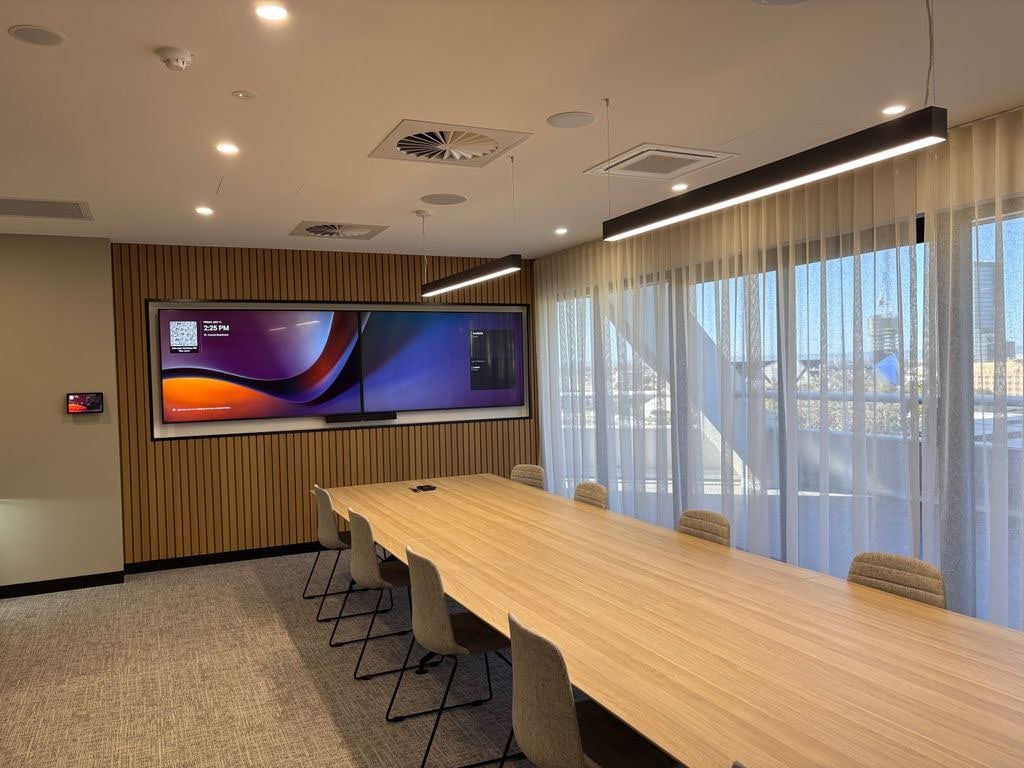
Microsoft Teams Rooms improve collaboration by turning any meeting space into a fully connected hub where in-room and remote staff can see, hear, and work with each other as if they were sitting at the same table. 

Instead of a laptop balanced on a stack of books and a phone propped up for audio, you get proper cameras, microphones, and screens working together so nobody misses a word or a whiteboard scribble.

If your business is still relying on a laptop and a shared screen for video calls, you’re likely losing time, focus and good ideas in every meeting. 

A properly installed Microsoft Teams Rooms setup fixes that by giving every room the same professional experience, so meetings start on time whether people are in Perth, Sydney, or working from home.

At 3 Monkeys AV, we install and support these systems for businesses across Australia.

What Are Microsoft Teams Rooms and How Do They Support Modern Workplaces?

Microsoft Teams Rooms are purpose-built meeting spaces fitted with certified hardware and software that connect directly to Microsoft Teams. 

Rather than plugging in a laptop and hoping the camera angle works, the room itself becomes the device. Staff walk in, tap a screen or console, and the meeting starts.

This matters because modern workplaces are rarely just one office anymore. Teams are split across home offices, branch locations, and client sites, and they need a way to collaborate that doesn’t depend on everyone being in the same building. 

Good Microsoft Teams Rooms collaboration gives every meeting room the same reliable experience, so staff spend their time on the conversation instead of fighting with cables or dodgy audio.

What Challenges Do Businesses Face With Traditional Video Conferencing Solutions?

Traditional video conferencing setups create more friction than most businesses realise, and that friction adds up across hundreds of meetings a year. Common problems include:

  • Laptop cameras that sit too low or too far away, cutting off half the room from view.
  • Built-in microphones that pick up keyboard clatter, air conditioning noise, and echo instead of clear voices.
  • Meetings starting five to ten minutes late because someone can’t find the right cable or login.
  • Remote staff struggling to see whiteboards, sticky notes, or printed documents held up to a laptop camera.
  • IT teams fielding the same support tickets over and over because every room is set up differently.

How Do Microsoft Teams Rooms Improve Collaboration in Hybrid Work Environments?

Microsoft Teams Rooms collaboration really shows its value here, because hybrid meeting collaboration only works when remote and in-room participants get an equal seat at the table, not an afterthought. 

The camera automatically frames whoever is speaking, the microphones pick up voices clearly from anywhere in the room, and content shared on screen is visible to everyone at the same time.

This changes how hybrid meetings actually feel. A few practical examples of hybrid meeting collaboration in action:

  • Someone joining from home can read a whiteboard drawing just as clearly as someone sitting three metres from it.
  • A remote team member’s video tile stays visible and prominent instead of shrinking into a tiny corner box.
  • Content shared from a laptop, tablet or phone appears instantly on the room screen without cables.
  • Meeting recordings and transcripts capture the whole conversation, not just the loudest voice in the room.

What Are the Key Microsoft Teams Rooms Features for Better Meetings?

The Teams Rooms features that matter most are the ones staff barely have to think about, because that’s what makes adoption stick. A well-specified room typically includes:

  • One-touch joining: staff tap a single button on the console to start a scheduled meeting, no dial-in codes or login screens.
  • Auto-framing cameras: the camera automatically zooms and pans to keep speakers centred and visible.
  • Noise-cancelling microphones: background sound like typing, shuffling papers or hallway chatter gets filtered out.
  • Content sharing without cables: laptops, phones and tablets connect wirelessly to the room screen.
  • Room booking panels: a screen outside the door shows room availability and lets staff book on the spot.
  • Interactive displays: touch screens that support whiteboarding, annotation and real-time collaboration on documents.

None of these Teams Rooms features work in isolation. They’re designed to run together as one system, which is why getting the hardware combination right for your room size and use case matters more than picking individual gadgets.

How Do Microsoft Teams Rooms Create a More Engaging Meeting Experience?

Microsoft Teams Rooms create a more engaging meeting experience by removing the small frustrations that make people mentally check out of video calls. When audio is clear, video is sharp, and content sharing is instant, people actually pay attention instead of asking “can you hear me?” for the third time.

Interactive displays add another layer here. Staff can annotate directly on shared documents, sketch out ideas on a digital whiteboard, and save that work automatically so nobody has to photograph a physical whiteboard before it gets wiped. 

For brainstorming sessions, client presentations, or training days, this kind of hands-on interaction keeps energy up and makes meetings feel less like a call and more like a real working session.

Good audio visual equipment also plays a quiet but important role in engagement. A screen that’s sized correctly for the room, positioned at the right height, and paired with speakers that don’t distort at higher volumes makes a bigger difference to how engaged people feel than most businesses expect.

How Can Businesses Choose the Right Microsoft Teams Rooms Solution?

Choosing the right setup starts with matching the hardware to your room size and how your team actually works, not picking whatever package looks cheapest. Key things to consider:

  • Room capacity, since a huddle room for four people needs very different gear than a boardroom for sixteen.
  • Existing cabling and network infrastructure, which affects installation complexity and cost.
  • Whether staff need Basic or Pro Teams Rooms licensing depending on features required.
  • Acoustic conditions in the room, including hard floors, glass walls, or high ceilings that affect sound quality.
  • Long-term support needs, since rooms need occasional troubleshooting, updates, and maintenance.

Closing Thoughts

Microsoft Teams Rooms collaboration turns ordinary meeting rooms into spaces where hybrid and in-person teams can actually work together properly, not just talk at each other through a laptop screen. 

From auto-framing cameras to one-touch joining and interactive whiteboarding, the right hardware combination removes the friction that makes video calls tiring and unproductive. 

If your business is ready to upgrade its meeting spaces, getting the setup right from day one saves time, money, and a lot of IT headaches down the track.

What Are the Benefits of Professional Audio Visual Services for Businesses in Perth?

By Francis Fragomeni,
Benefits of Professional Audio Visual Services

A well-integrated AV system isn’t just new hardware on a boardroom wall; it’s a measurable business investment. One conservative 2026 industry analysis found that a typical AV upgrade delivering $85,000 in investment generated roughly $140,000 in annual benefits, a 65% return in year one, and close to 400% cumulative ROI over three years, driven by more effective meetings, reduced travel, and lower long-term maintenance costs.

That’s the real case for professional AV. The benefits of audio-visual services and interactive panels go well beyond a sharper-looking meeting room; they improve communication, boost productivity, and enhance how customers, employees, and clients experience your business.

Let’s understand where those gains come from and what to consider before investing in a proper AV setup for your Perth business.

What Are Professional Audio Visual Services?

Professional audio-visual services cover the design, supply, installation, and ongoing support of the technology a business uses to communicate, present, and collaborate, including video conferencing systems, interactive displays, sound systems, and digital signage. A professional service assesses your space and needs first, then specifies and installs a system built to actually work in that room, rather than relying on generic, off-the-shelf equipment.

This distinction matters more than most buyers expect. Off-the-shelf AV setups rarely maximise value, since custom design and professional integration avoid the downtime, compatibility issues, and missed benefits that turn a potential high-ROI project into a costly headache.

What are the Key Benefits of Audio Visual Services for Modern Businesses?

The audio-visual services advantages for a modern business come down to a handful of measurable gains, largely drawn from the same 2026 ROI analysis referenced above:

  • More effective meetings: the same research found that properly specified AV systems contribute to 10 to 20% more effective meetings, reducing wasted time and improving decision-making.
  • Reduced travel costs: reliable video conferencing was found to cut business travel needs by 30 to 50% for meetings that previously required in-person attendance.
  • Lower long-term costs: energy-efficient, well-maintained systems reduce ongoing running and maintenance expenses compared with ageing or mismatched equipment.
  • Stronger client impressions: seamless conferencing solutions project professionalism in client meetings, leading to higher customer trust, stronger relationships, and ultimately more business revenue.
  • Reduced disruption risk: high-quality systems with built-in reliability and professional support help avoid the downtime and communication gaps a poorly chosen AV solution can cause.

What’s the difference between Without Professional AV vs With Professional AV?

The difference becomes clearest side by side, since most of the value of professional AV comes from avoiding exactly the problems a DIY or budget approach tends to create.

Without Professional AV Services With Professional AV Services
Poor audio and video quality undermines client meetings Properly specified systems project professionalism and build trust
Frequent technical disruptions waste staff time Reliable, professionally installed systems reduce downtime
Inconsistent equipment across multiple rooms or sites Standardised setups give a consistent experience everywhere
No ongoing support when something goes wrong Dedicated support and maintenance included as standard
Off-the-shelf gear rarely matches room or business needs Custom design matched to room size, use case, and budget


This shift in thinking is reflected industry-wide too, with spending moving from one-off room upgrades toward enterprise-wide ecosystems that deliver equitable experiences for on-site and remote staff, a clear signal that businesses increasingly treat AV as core infrastructure rather than a one-time purchase.

How Audio Visual Services Improve Business Communication and Collaboration?

Modern AV systems are increasingly designed around equity between in-person and remote participants, rather than treating remote attendees as an afterthought. Spatial audio arrays, multi-camera tracking, and automated content framing now integrate directly with platforms like Microsoft Teams, ensuring meetings genuinely include everyone in the conversation regardless of where they’re joining from.

For Perth businesses managing hybrid teams or working with interstate and international clients, this isn’t a luxury feature. It’s the difference between a meeting that runs smoothly and one where half the room is straining to hear or be heard.

What are the Advantages of Professional AV Solutions for Workplace Efficiency?

Beyond communication, properly specified AV reduces the everyday friction that quietly eats into productivity:

  • Faster meeting starts: one-touch meeting room systems remove the setup delays that waste the first few minutes of nearly every call.
  • Lower IT burden: centralised device management means IT teams spend less time troubleshooting individual rooms and more time on higher-value work.
  • Consistency across sites: standardised equipment means staff aren’t relearning a new setup every time they walk into a different boardroom or office.

Why Should Businesses Invest in Professional AV Integration?

The table above shows what’s at stake either way. Beyond avoiding those downstream costs, businesses that invest properly tend to get more from their existing technology budget, since a system specified the first time correctly avoids the duplicate spend of replacing or retrofitting equipment that never quite worked as intended.

How to Choose the Right Audio Visual Service Provider?

Selecting the right provider for audio visual Perth solutions helps ensure your AV system is tailored to your requirements, professionally installed, and backed by reliable ongoing support.

Step 1: Look for a proper site assessment.
The right provider evaluates your space and goals before recommending any equipment, not after.

Step 2: Confirm installation is handled in-house.
Providers managing design, supply, and installation directly, without subcontractors, generally deliver more consistent results and clearer accountability.

Step 3: Check that ongoing support is included.
AV systems need monitoring, troubleshooting, and occasional updates well after installation, and AV-as-a-service-style support models are increasingly common for exactly this reason, bundling maintenance and support to reduce the ongoing burden on internal IT teams.

Bottom Line

Professional audio visual services deliver measurable returns, stronger client impressions, better hybrid collaboration, and noticeably fewer of the disruptions that come from mismatched or poorly installed equipment. The businesses getting the most value aren’t necessarily spending the most; they’re working with a provider who properly assesses their space before recommending a solution.

If you’re considering an AV upgrade for your Perth business, the smartest first step is a proper assessment rather than guessing at the specification. At 3 Monkeys AV, we run a free $250 AV system analysis for every Perth business, recommending the right setup for your space and budget before a dollar is spent. Our team handles design, supply, and installation in-house, with no subcontractors, followed by staff training and ongoing support long after your system goes live.

How Do You Choose the Right Digital Signage Solution in Perth for Your Business?

By Francis Fragomeni,
Choose the Right Digital Signage Solution in Perth

A retail store with the right screen in the right spot sees measurable results: featured products lift unit sales by 32%, according to Nielsen research, and consumers rank digital signage as the advertising medium they trust most, ahead of television, social media, and print. The problem is that most Perth businesses don’t get those results, not because digital signage doesn’t work, but because they chose the wrong setup for their space. 

Learning how to choose the right digital signage solution isn’t about picking the biggest screen or the cheapest software. It’s about matching hardware, software, and content strategy to your specific business, audience, and budget. This guide breaks down exactly what to consider before installing digital signage for your Perth business.

What Is a Digital Signage Solution and How Does It Work?

A digital signage solution combines a commercial display, a media player or built-in computer, and content management software that lets you create, schedule, and update what appears on screen remotely. Rather than printing and replacing posters or menu boards, content updates instantly across one screen or hundreds, from a single dashboard.

The shift toward this approach has been significant. Cloud-based content management now accounts for 78% of deployments, compared with 22% still running on-premise systems, reflecting how much easier modern signage is to manage remotely than the static displays it replaced. Getting this part of the decision right is genuinely one of the most important steps in choosing the right digital signage solution for your business.

What are the Key Factors to Consider When Choosing a Digital Signage Solution?

A few factors genuinely determine whether a signage solution performs well or becomes an expensive, underused screen:

  • Purpose first: promotional displays, menu boards, wayfinding, and internal communications all need different content strategies and, often, different hardware.
  • Display technology and brightness: outdoor or sunlit locations need higher-brightness, durable displays, while indoor retail or office settings have more flexibility.
  • Content management software (CMS): This is where long-term usability and cost are decided, not the screen itself, since the CMS is what your team interacts with daily.
  • Integration needs:  signage that needs to pull from a POS system, booking calendar, or live data feed requires software built for that integration, not a basic playlist tool.
  • Network and connectivity:  reliable Wi-Fi or wired connectivity is essential for cloud-based content updates and remote management.

What are the Types of Commercial Digital Signage Solutions for Businesses?

The right category depends entirely on the problem you’re solving, not on what looks most impressive in a showroom.

Type Best Suited For Typical Setting
Standalone display Single-location businesses needing one or two screens Cafés, small retail, and reception areas
Networked multi-screen system Businesses managing several locations from one dashboard Multi-site retail, franchises
Interactive touchscreen Self-service and customer-facing navigation Wayfinding, kiosks, showrooms
Video wall High-impact visual presence in larger spaces Foyers, hospitality venues, and showrooms

What are the Benefits of Digital Signage for Business Growth?

The business case for getting this right is well documented:

  • Higher sales on featured products: featured items see a 32% sales lift, according to Nielsen research, when displayed on well-placed digital signage. Nuroum
  • Stronger brand awareness: brand awareness climbs an average of 47.7% following digital signage exposure, well ahead of static print alternatives.
  • Higher viewer action rates: 76% of viewers take a measurable action after seeing a display, whether that’s making a purchase, joining a queue, or following a prompt. 
  • Stronger overall customer experience:  in hospitality and retail venues, pairing visual signage with the right ambient audio through a properly specified PA system often strengthens the experience beyond what visuals alone can achieve.
  • More capable technology at lower cost: AI-powered content personalisation and scheduling is a growing area of investment for signage providers, giving even small businesses access to tools once limited to large enterprise deployments.

What are the Common Mistakes to Avoid When Selecting Digital Signage?

A handful of recurring mistakes catch businesses out:

  • Choosing hardware before software: then discovering the CMS doesn’t actually support the displays already purchased.
  • Underestimating brightness requirements: for outdoor or sunlit indoor locations, leading to screens that are unreadable for much of the day.
  • Skipping a proper content strategy: the screen itself rarely drives results without a clear plan for what’s displayed and when.
  • Choosing a provider on price alone: without checking ongoing support and software reliability, which often costs more in the long run than paying slightly more upfront for a properly supported system.

How to Choose the Right Digital Signage Provider in Perth?

Choosing the right digital signage provider in Perth ensures you get a solution that is tailored to your business needs, professionally installed, and supported for long-term performance.

Step 1: Get your space and goals properly assessed.
The right provider should evaluate your location, lighting, and business objectives before recommending any hardware, not the other way around.

Step 2: Check that installation is handled in-house.
Look for a provider who manages installation, network configuration, and content setup directly, rather than outsourcing parts of the job to subcontractors.

Step 3: Confirm ongoing support is included.
Signage networks need monitoring, troubleshooting, and occasional updates well after the screens go live, so support matters just as much as the initial install.

What are the Cost Considerations for Commercial Digital Signage Solutions?

Costs vary considerably depending on display size, software tier, and number of screens. Hardware typically represents a one-time cost, while the content management software is a recurring cost for the life of the network, making the CMS choice more financially significant over time than the screen purchase itself. Falling LED and display prices have made enterprise-grade signage increasingly accessible, with large-format LED display prices having decreased by over 60% in recent years, putting professional-grade signage within reach of small and medium Perth businesses that previously found it cost-prohibitive.

Closing Thoughts

Choosing the right digital signage solution comes down to matching the technology to your actual business goals, not buying the biggest screen or the cheapest software on offer. Purpose, display technology, software, and ongoing support all need to work together, and getting any one of these wrong is usually what turns a promising investment into an underused screen.

If you’re weighing up digital signage for your Perth business, the smartest first step is a proper assessment of your space and goals. At 3 Monkeys AV, we run a free $250 AV system analysis for every Perth business, recommending the right display, software, and setup for your specific location and budget. Our team handles design, supply, and installation in-house, with no subcontractors, and we stay on hand for ongoing support long after your signage goes live.

Get in touch with 3 Monkeys AV to find the right digital signage solution for your business.

How Are Interactive Whiteboards Transforming Education and Corporate Training?

By Francis Fragomeni,
How Are Interactive Whiteboards Transforming Education

A classroom in 2026 looks nothing like it did a decade ago, and neither does a corporate training room. The chalk-and-marker board has been replaced by a touch-enabled screen that runs lessons, tracks engagement, and connects remote learners in real time. The shift is backed by real market movement: the global interactive whiteboard market is projected to grow from roughly USD 6.5 billion in 2025 to USD 12.84 billion by 2035, a compound annual growth rate of 7.0%, driven by sustained demand across both education and enterprise sectors. 

Let’s understand how interactive whiteboards are reshaping classrooms and corporate training rooms differently, what’s driving the shift, and what to consider if your school or business is weighing up an upgrade.

How Interactive Whiteboards Are Changing Classrooms?

In education, interactive whiteboards have moved well past simply displaying content. They now support K-12 education, higher education, and corporate training alike, with schools using them to deliver interactive lessons that make subjects like maths and science more engaging. Annotation, multimedia integration, and real-time collaboration mean a single lesson page can be built once, saved, and reused or updated the following year rather than rebuilt from scratch. 

Student feedback backs up the engagement claims. In one classroom study, 23.5% of students named internet access as the most valuable feature of interactive whiteboards, with visual support valued by 19.1% and video content by 12.2%, highlighting just how much students rely on multimedia access as part of the learning experience rather than treating the board as a simple display. 

How Are Interactive Whiteboards Changing Corporate Training?

In corporate settings, the story is slightly different. Businesses are adopting interactive whiteboards primarily for meetings, training, and hybrid collaboration, with boards facilitating dynamic presentations, digital whiteboarding, and real-time annotation that support distributed and remote teams. Training departments, in particular, are using these boards to run live workshops where presenters annotate directly on slides, diagrams, or process documents, then export and share the session afterwards. 

While interactive whiteboards are transforming collaboration in workplaces, education providers are increasingly integrating them with PA systems for schools to create more connected learning environments. Combining interactive classroom technology with clear school-wide communication systems helps improve lesson delivery, announcements, emergency messaging, and overall campus communication.

The growth in this segment is genuinely strong. The interactive whiteboard market in corporate settings is expected to grow at a CAGR of around 6.4% through 2030, driven by reliance on interactive technologies to support remote collaboration, virtual training, and agile project management. For training-heavy industries especially, this reflects a real shift away from static slide decks toward sessions employees can actively participate in.

Education vs Corporate Training: Key Differences in Use

While the underlying technology is identical, what each sector actually needs from it differs meaningfully.

Factor Education Use Corporate Training Use
Primary goal Student engagement and comprehension Skill development and knowledge transfer
Typical content Lessons, diagrams, multimedia, quizzes Presentations, workshops, process documentation
Group size Often 20–30+ students Smaller groups, frequently hybrid or remote
Software priority Curriculum tools, learning platforms Conferencing integration, productivity tools
Reusability need Lesson plans reused across terms or years Training modules reused across cohorts and sites


Understanding this distinction matters before choosing a panel, since a board specified for a packed classroom isn’t automatically the right fit for a twelve-person training room running hybrid sessions.

What’s Driving the Shift in Both Sectors?

A few forces are pushing adoption in education and corporate training simultaneously:

  • Hybrid work and hybrid learning: both sectors need tools that connect in-person and remote participants on equal footing, whether that’s a student joining a lesson from home or a remote employee joining a training session from another office.
  • Falling hardware costs: while prices for interactive whiteboards typically range from roughly USD 2,500 to USD 6,500 or more, depending on size and specification, the broader trend has been toward more accessible mid-range options as panel and touch-sensor manufacturing costs continue to fall.
  • Reusability and efficiency:  saved lesson plans and training modules reduce repeat preparation work, compounding in value over a school year or training cycle.

What are the Important Considerations Before Investing?

A board chosen without considering its actual use case rarely delivers the value it should:

  • Classroom durability:  boards in school settings face far more daily wear and tear than a boardroom display ever will, so build quality matters more than it might for a corporate space.
  • Software and platform integration: for corporate training rooms, this is usually the deciding factor, particularly where sessions need to connect remote employees through tools like Microsoft Teams Rooms as part of a broader hybrid meeting and training setup.
  • Room size and group size: a board specified for a packed classroom rarely suits a small training room, and vice versa.
  • Staff and teacher training: just as important as the hardware itself, since a powerful board nobody knows how to use properly quickly reverts to functioning as a basic screen, undermining the investment regardless of how advanced its features are.

Bottom Line

Interactive whiteboards are transforming education and corporate training in different but equally significant ways. Classrooms are using them to deepen engagement and reuse lesson content efficiently, while businesses are using them to run more participative, hybrid-friendly training sessions. What both sectors share is a growing reliance on technology as core infrastructure rather than an optional upgrade, and getting the specification, software fit, and training right is what determines whether that investment actually pays off.

If you’re considering an interactive whiteboard for a classroom or training room, the smartest first step is a proper assessment of your space and how it will actually be used. At 3 Monkeys AV, our audio visual system specialists run a free $250 AV system analysis for every Perth school and business, matching the right panel and setup to your specific room before any equipment is chosen. We’re WA’s only authorised EduTouch supplier, and every job runs through us directly, from supply and installation to staff training, with clear, itemised pricing and no subcontractors involved. Get in touch with 3 Monkeys AV to find the right interactive whiteboard setup for your classroom or training space.

Microsoft Teams Rooms Setup: Benefits, Costs & Installation Guide for Businesses

By Francis Fragomeni,
Microsoft Teams Rooms Setup

Businesses that standardise their meeting rooms on Microsoft Teams report 35 to 50% increases in meeting room utilisation and a 40% reduction in IT support tickets related to conference room AV issues, compared with older, legacy conferencing infrastructure. That’s the real return on a properly specified setup, but most businesses still aren’t sure what it actually involves or what it should cost.

A proper Microsoft Teams Rooms setup isn’t just buying a screen and a camera. It’s a combination of certified hardware, the right licensing tier, and professional installation that needs to be planned together, not bought piece by piece. This guide breaks down exactly what’s involved, what it costs at different room sizes, and how the installation process works, so you can budget accurately before committing to a Microsoft Teams Rooms upgrade for your Perth business.

What Is Microsoft Teams Rooms Setup?

A Microsoft Teams Rooms setup is a certified hardware and software combination that turns a standard meeting room into a fully integrated, one-touch video conferencing space. Rather than connecting a laptop and juggling cables, the system runs independently, joining calls, sharing content, and managing audio and video automatically.

A complete setup includes three layers working together: certified hardware (camera, microphone, speaker, display, and compute unit), a Microsoft Teams Rooms licence (Basic or Pro), and professional installation covering mounting, cabling, and network configuration. Getting any one of these three wrong, choosing the wrong hardware tier, skipping the right licence, or rushing the installation usually means the room underperforms regardless of how much was spent on it.

What are the Key Benefits of Microsoft Teams Rooms for Businesses?

The operational gains mentioned above come from a few places working together:

  • Faster meeting starts: one-touch joining removes the setup delay that wastes the first few minutes of nearly every meeting.
  • Less manual admin: AI-powered features, including intelligent camera framing and automated meeting recaps, reduce the note-taking and follow-up work that normally falls on whoever’s running the meeting.
  • Lower IT burden: centralised remote management means IT can monitor and troubleshoot rooms without a physical site visit, which matters significantly for businesses managing more than a handful of rooms.
  • Consistency across sites: standardised hardware and configuration mean staff get the same experience in every room, regardless of the office or location.

What are the Essential Components for Meeting Room Technology Setup?

A proper meeting room technology setup needs several components working together, not just a screen on the wall:

  • Certified camera: auto-framing, suited to the room’s size and seating layout.
  • Microphone and speaker system: ideally with built-in noise suppression and echo cancellation.
  • Display: sized to the room’s viewing distance, not just whatever fits the available wall space.
  • Compute unit or all-in-one bar: runs the Teams Rooms software, either Windows or Android-based.
  • Touch console: the one-touch interface staff actually use to start and manage calls.
  • Network connection: Ideally, wired Ethernet rather than relying on Wi-Fi for a fixed meeting room.

Skipping or under-specifying any of these is one of the most common reasons businesses end up needing to retrofit a room within a year or two of installing it.

What is the Step-by-Step Microsoft Teams Rooms Setup Guide?

Here is a step-by-step guide on how to set up a Microsoft Teams Rooms.

  1. Site assessment: Room size, lighting, acoustics, and existing infrastructure are reviewed before any audio visual system equipment is chosen.
  2. Hardware selection: Camera, microphone, display, and compute unit are matched to the room’s size and intended use, whether that’s a small huddle space or a large boardroom.
  3. Licensing decision: Basic suits smaller deployments, while Pro is generally recommended for any organisation deploying more than 10 rooms or operating in a regulated industry, given the remote management and AI features it unlocks.
  4. Installation and mounting: Cabling, camera placement, and display mounting are completed professionally, with camera height set at seated eye level, approximately 4 feet or 120cm from the floor, for natural eye contact with remote participants.
  5. Configuration and testing: The system is connected to the network, registered, and tested before being signed off as ready for use.
  6. Staff training: A brief walkthrough ensures staff can actually use the one-touch features the system was bought for in the first place.

Microsoft Teams Rooms Setup Cost Breakdown

Costs vary considerably depending on room size and the licensing tier chosen.

Room Type Hardware Cost Typical Use Case
Small huddle room (2–6 people) $2,500–$4,500 Quick calls, focus rooms
Medium conference room (6–12 people) $4,500–$9,500 Standard team meetings
Large boardroom (12–20 people) $12,000–$28,000 Client presentations, board meetings
Premium signature setup $28,000–$55,000+ Executive boardrooms, multi-display layouts


These figures, drawn from current integrator pricing, cover hardware, design, installation, and basic training. Licensing sits separately: Teams Rooms Basic is free for a certain number of rooms and can be assigned to certified systems at no additional cost, covering scheduling, joining meetings, and content sharing, while Pro is billed per room, per month, on top of the hardware cost. 

What are the Common Challenges in Meeting Room Technology Setup?

A few recurring issues catch businesses out during setup:

  • Underestimating network requirements: a fixed meeting room genuinely benefits from a wired connection rather than relying on shared Wi-Fi, which becomes congested as more devices compete for bandwidth.
  • Choosing the wrong licensing tier: many organisations end up paying for the Pro tier across an entire fleet of rooms while 40 to 60% of those rooms only ever use Basic-level features, a costly mismatch that’s easy to avoid with proper planning upfront.
  • Skipping professional installation: the most expensive mistake of all, often resulting in poor camera placement, audio issues, and a system that needs revisiting within months, particularly in Training and Boardroom settings where reliability matters most.
  • Ignoring future scalability: installing a system without considering whether more rooms will need to be added later, leading to inconsistent hardware and a harder support job for IT down the track.

What are the Best Practices for Hybrid Meeting Room Solutions?

Getting genuine value from hybrid meeting room solutions comes down to a handful of consistent habits:

  • Design for the remote participant, not just the room: camera placement, audio quality, and screen visibility should be judged from a remote attendee’s perspective, not just from inside the room.
  • Mount cameras at eye level: this keeps eye contact natural for remote participants, rather than looking down at the room.
  • Use dedicated microphones: rather than relying on a single built-in unit, which struggles to capture voices clearly across a full room.
  • Match licensing to actual usage: review which features rooms genuinely use before defaulting every room to the most expensive tier.
  • Standardise hardware across rooms: this simplifies support and keeps the experience consistent, no matter which room staff walk into.

Bottom Line

A Microsoft Teams Rooms setup is a genuine investment in how your business runs meetings, but getting the hardware, licensing, and installation right from the start is what determines whether that investment actually pays off. The businesses getting the most value aren’t necessarily spending the most; they’re matching the right setup to the right room and getting it installed the first time properly.

If you’re planning a Teams Rooms upgrade for your Perth business, the smartest first step is a proper assessment rather than guessing at specification and cost.

At 3 Monkeys AV, we run a free $250 AV system analysis for every Perth business, recommending the right hardware, licensing tier, and room design for your specific space and budget. From there, our team handles design, supply, and installation in-house, with no subcontractors, followed by staff training and clear, itemised pricing throughout. Get in touch with 3 Monkeys AV to find out what a properly specified Teams Rooms setup would cost for your business.

What is Audio Visual? A Complete Beginner’s Guide

By Francis Fragomeni,
What is Audio Visual

Picture the last meeting that fell apart before it began: the video froze, the microphone cut out, and half the room leaned in, straining to hear. That everyday frustration is exactly what audiovisual technology exists to remove. Audio visual (AV) is the combination of sound and visual technology, microphones, speakers, screens, projectors, and cameras working together so a space can be clearly seen and heard.

If you manage a school, run an office, or operate a café, AV sits quietly behind almost everything you do, and getting it wrong is expensive in time, money, and reputation.

Let’s understand what audiovisual means, what a system is made of, where it is used, and why it matters, so you can make confident decisions before you spend a dollar.

What Does Audio Visual (AV) Mean?

It is the pairing of audio (sound) and visual (image and video) technology into one connected system. The audio side captures, processes, and plays sound through microphones, mixers, and speakers. The visual side captures and displays images through cameras, screens, projectors, and interactive panels.

When people ask what an audiovisual setup actually is, they mean this connected group of devices, designed so that a presenter is seen and heard exactly as intended. A boardroom video call, a school assembly, a church service, and a retail display are all everyday examples of AV in action.

What are the Components of an Audio-Visual System?

If you are wondering what audiovisual equipment includes, a typical commercial system is built from five working parts:

  • Input devices: microphones, cameras and document scanners that capture sound and vision.
  • Display and output devices: screens, LED video walls, projectors, interactive panels, and speakers that present the content.
  • Processing and control: mixers, amplifiers and control systems that route signals and let you run everything from one simple interface.
  • Connectivity: the cabling, networking and AV-over-IP that ties the system together reliably.
  • Source devices: laptops, media players, and conferencing platforms such as Microsoft Teams or Zoom that feed the system.

The skill is in matching these parts to a space. The right audiovisual equipment for a 10-seat boardroom is very different from that for a 400-seat school hall, and mismatched gear is the single most common cause of poor sound and clunky meetings.

Where is Audio Visual Used?

Audiovisual technology appears almost everywhere people gather, learn or do business:

  • Schools and education: interactive panels, hall PA systems and undercover-area sound for assemblies and sport.
  • Corporate offices: boardroom displays and certified Teams and Zoom rooms for hybrid meetings.
  • Places of worship: clear congregation sound and live streaming.
  • Cafés, bars and retail: zoned background music and digital signage that shapes the customer experience.
  • Councils and recreation centres: public-address systems and meeting technology for community spaces.

Demand is climbing fast. Analysts value the global professional AV market at over USD 420 billion, growing at roughly 12.5% a year toward 2030, driven largely by hybrid work and remote collaboration (source).

Why is Audio Visual Important for Businesses?

For a business, AV is not decoration; it is a communication infrastructure. Good audiovisual technology improves communication in three practical ways. It removes friction, so meetings start on time and remote staff hear every word. It improves clarity, reducing the misunderstandings and repeated explanations that drain a workday. And it lifts engagement, because people retain far more from a sharp, well-presented message than a muffled one.

The reverse is just as real. Dropped calls, dead microphones, and screens nobody can read cost time, frustrate teams, and quietly chip away at a professional image. Reliable AV protects both productivity and reputation, which is why offices, schools, and councils treat it as a core investment rather than a nice-to-have.

What are the Types of Audio Visual Solutions?

Audiovisual solutions are usually grouped by what they help you do:

  • Conferencing and collaboration: Teams and Zoom rooms, cameras and room control for hybrid meetings.
  • Sound reinforcement and PA: speakers, microphones, and amplifiers for halls, venues, and outdoor areas.
  • Display and signage: screens, video walls, and digital signage for information and promotion.
  • Interactive and educational AV: touch panels and interactive whiteboards for classrooms and training.
  • Streaming and recording: capturing services, lectures, or events for online audiences.

Most organisations need a blend, tailored to their needs and goals. This is where design and professional AV installation matter most: the same equipment can perform brilliantly or poorly depending on how it is specified, positioned, and configured.

Closing Thoughts

Audiovisual is simply the technology that lets a space be clearly seen and heard, from a single microphone to a fully integrated meeting room. Understanding the components, the settings and the solution types, and choosing the right system stops being daunting and starts saving you money over its lifetime.

The difference between a system that just works and one that constantly lets you down almost always comes down to how well it was designed and installed in the first place.

As Perth specialists with more than 10,000 installations across schools, offices, councils, and places of worship, 3 Monkeys AV designs, supplies, installs, and supports systems built around each space, then trains your team to run them with confidence. If an upgrade is on your horizon, that first-time-right approach is exactly what turns everyday communication from a frustration into something effortless.

Why Clear Communication Systems Are Essential for School Safety and Operations

By Francis Fragomeni,
Why Clear Communication Systems Are Essential for School Safety and Operations

In a school environment, clear communication isn’t a “nice-to-have “; it’s fundamental. From day-to-day coordination through to emergency response, the ability to get the right message to the right people at the right time underpins both safety and smooth operations.

Across Perth, most schools plan and invest thoughtfully in their AV and communication infrastructure. As campuses grow, teaching models evolve, and expectations around safety increase, schools are increasingly recognising the value of professional AV installation in Perth to ensure their communication systems remain reliable, scalable and fit for purpose. This is where the importance of school communication systems really comes into focus.

Modern school communication systems, including PA systems for schools, help leaders maintain calm, clarity and control, whether it’s managing a busy school day or responding quickly when something unexpected happens.

Why School Communication Systems Are Essential for Safety and Operations

Schools are busy, fast-moving places. Hundreds, sometimes thousands of students and staff move between classrooms, buildings and outdoor spaces every day, and without reliable communication, a small issue can snowball before anyone’s had a chance to respond.

Here’s why dependable systems matter on both fronts:

  • They protect safety when seconds count, lockdown instructions, weather warnings and urgent announcements need to reach everyone at once, clearly. In those moments, confusion or delay simply isn’t an option.
  • They keep the school day flowing with bells, reminders, assemblies and announcements all lean on dependable PA systems, cutting disruption and freeing staff to focus on teaching.
  • They support leadership, not just logistics, reliable communication safeguards students and lets a school run efficiently, which is why this is about far more than technology.

Key Features of Effective School Communication Systems

Clear communication in schools relies on PA systems that are reliable, easy to use, and adaptable to different situations. From daily announcements to emergency alerts, the system must ensure messages are delivered effectively across all areas.

  • Clarity & Coverage: Messages should be clearly audible across classrooms, halls, outdoor areas, and common spaces. Any dead zones or distorted audio can reduce the system’s effectiveness.
  • Ease of Use: The system should be simple and intuitive so that school staff can operate it without technical training. Features like preset zones and quick-access microphones help ensure smooth usage.
  • Zoning & Prioritisation: Modern PA systems should allow targeted messaging to specific areas, along with the ability to override all zones during emergencies for better control.
  • Integration Capabilities: Integration with other systems, such as bells, emergency alerts, and digital signage, helps create a unified and efficient communication ecosystem.

These features highlight why PA systems are essential in schools, particularly when safety and operational efficiency are critical.

How PA Systems Improve School Operations and Efficiency

Beyond emergencies, a good PA system quietly keeps the rhythm of the school day on track. Used well, it cuts interruptions, clears up confusion and keeps everyone pointed in the same direction. The day-to-day benefits add up quickly:

  • Instant, school-wide messaging: morning announcements, schedule changes, event reminders and assembly calls land immediately, with no chasing emails or relying on word-of-mouth.
  • Calmer, more orderly campuses: consistent, well-pitched audio reduces stress and creates a sense of order, which matters most in larger schools juggling multiple year groups.
  • Value well beyond the classroom: many schools use their systems for community events, performances and sport, stretching the return on the investment into after-hours use.
  • A reliable operational backbone: you don’t notice a good PA system when it’s working, but you certainly notice when it isn’t.

Choosing the Right Communication Systems for Schools

Picking the right system isn’t about the most complex or most expensive option — it’s about what genuinely fits your school now and as it changes. A few factors shape that decision:

  • Your specific campus: layout, outdoor areas, heritage buildings, student numbers and how spaces are actually used all influence the right design.
  • Room to grow: a system that suits you today should scale as the school expands or teaching spaces shift, so you’re not paying for costly upgrades later.
  • Reliability and local support: technology only helps if it works when you need it most, and can be supported quickly when it doesn’t.

These are the things that make a school communication system a strategic decision, not just a technical one. And given Perth’s harsh climate, it’s worth making sure any professional AV installation is designed and fitted by experienced local professionals who know what local conditions demand.

Importance of Professional Installation and Maintenance of School PA Systems

Even the best equipment falls short if it’s installed poorly. Getting design, installation and upkeep right is what separates a system that performs for years from one that frustrates everyone. It comes down to a few essentials:

  • Proper design and installation: speakers positioned for full, even coverage, components correctly configured, and everything working together as one system.
  • Ongoing maintenance: regular testing and servicing catch small faults before they become real problems, which is critical for anything tied to emergency communication.
  • Partners who know schools: designing around bell schedules and assemblies, and meeting safety and compliance requirements, adds value that an all-purpose installer can’t.

When you weigh up the importance of PA systems in schools, installation and maintenance should never be an afterthought. They’re what protect both the investment and the people who depend on it every day.

Future Trends in School Communication Systems and Safety Technology

School communication technology continues to evolve. Increasingly, systems are becoming smarter, more integrated and more flexible.

We’re seeing greater alignment between PA systems, emergency notification platforms and digital displays, allowing schools to communicate across multiple channels simultaneously. Mobile integration and remote management are also emerging, giving leaders more control and visibility.

Audio quality is improving too, with advances in speaker design and signal processing making announcements clearer and less intrusive.

As expectations around safety and duty of care continue to rise, communication systems will play an even bigger role. Schools that plan will be better positioned to adapt to these changes with confidence.

Bottom Line

Clear communication sits at the heart of safe, well-run schools. From daily announcements to critical emergency responses, reliable systems support leadership, protect students and staff, and keep operations running smoothly.

The importance of school communication systems, the proven school PA system benefits, and the broader importance of PA systems in schools all point to the same conclusion: communication infrastructure is not just a technical decision, it’s a strategic one.

Investing in the right systems, professionally designed and well-maintained, is an investment in clarity, confidence and care across the entire school community.

Creative Ways to Use Digital Signage to Boost Business Visibility

By Francis Fragomeni,
Creative Ways to Use Digital Signage to Boost Business Visibility

In a world where attention is short and competition is everywhere, standing out is no longer optional; it’s essential. Digital signage has quickly evolved from simple display screens into one of the most powerful tools businesses can use to cut through the noise, tell their story, and connect with customers in meaningful ways.

When implemented strategically, digital signage doesn’t just look good; it drives foot traffic, improves brand recall, and enhances the overall customer experience. In this article, we’ll explore creative digital signage ideas for business growth, uncover interactive digital signage ideas that truly engage, and explain how the right approach can significantly boost your visibility.

Why Digital Signage Is Important for Business Visibility

Traditional static signage has its place, but it lacks flexibility and immediacy. Digital signage lets businesses communicate dynamically, adjust messaging in real time, and stay relevant throughout the day.

Here’s why digital signage works so well for visibility:

  • Captures attention instantly: bright visuals and moving content catch the eye far more effectively than static posters or decals.
  • Delivers timely messaging: update offers, announcements and promotions in real time, so what people see is always relevant to the moment.
  • Puts you in control of the narrative: decide exactly what audiences see, when they see it, and how it aligns with your goals.
  • Reinforces your brand everywhere: from shopfronts to staff areas, consistent dynamic messaging builds recognition across every touchpoint.
  • Helps you stand out in crowded markets: dynamic displays cut through visual clutter where traditional signage blends in.

Creative and Interactive Digital Signage Ideas for Business Growth

Creativity is where digital signage truly shines. Beyond basic promotional screens, today’s technology makes it possible to design experiences, not just displays.

Some forward-thinking digital signage ideas for business include:

  • Live social media walls displaying customer posts, reviews, or branded hashtags
  • Interactive touchscreens that allow customers to browse products or customise offerings
  • Wayfinding displays that make large or complex spaces easier to navigate
  • Data-driven content that adapts based on time of day, weather, or audience type

Interactive digital signage ideas are especially powerful because they turn passive viewers into active participants. Whether it’s tapping a screen to explore options or scanning a QR code to unlock content, interaction deepens engagement, and engagement drives action.

Using Digital Signage for Promotions and Brand Awareness

Promotions are one of the most common uses of digital signage, but the most effective executions go beyond basic discounts and sales messaging.

Instead of simply advertising prices, businesses can use digital signage to tell a story introducing new products, highlighting behind-the-scenes processes, or showcasing customer success stories. Animated visuals and video content help brands communicate emotion and value in ways static signage simply can’t.

Consistency is key here. When digital signage visuals align with your brand colours, fonts, and messaging tone, every screen reinforces your identity. Over time, this repetition builds recognition and trust, making your business instantly familiar to your audience.

Digital Signage Content Strategies That Drive Results

The success of digital signage doesn’t hinge on hardware alone; it depends on content strategy. The most effective digital signage content is:

  • Clear and concise: viewers should understand the message in seconds
  • Visually balanced: strong imagery paired with minimal text
  • Purpose-driven: every piece of content should serve a specific goal

Rotating content throughout the day is another powerful tactic. Morning messages can differ from afternoon promotions, while internal messaging may run after hours. This keeps displays fresh and relevant without overwhelming viewers.

Businesses that treat digital signage as an evolving communication platform rather than a one-off project see far greater returns.

Choosing the Right Digital Signage Solutions for Business

Not all digital signage solutions are created equal. Choosing the right setup requires careful consideration of your space, audience, and objectives.

Questions to ask include:

  • Where will screens be positioned for maximum visibility?
  • Will you need interactive or touch-enabled displays?
  • How often will content be updated, and by whom?

Working with experienced digital signage and audiovisual specialists in Perth ensures your solution is scalable, reliable, and future-ready. The right partner can help match technology to your actual business needs rather than over-engineering or under-delivering.

Importance of Professional Digital Signage Installation

Even the best digital signage strategy can fail if installation is poorly executed. Screen placement, cable management, viewing angles, and environmental factors all play a role in performance and longevity.

Professional installation ensures:

  • Displays are securely mounted and safely powered
  • Screens are positioned for optimal visibility and engagement
  • Systems are configured correctly from day one

A professionally installed solution not only looks better, but it also performs better, lasts longer, and reduces maintenance issues down the line.

Future Trends in Digital Signage for Businesses

Digital signage continues to evolve alongside technology and consumer expectations. Emerging trends include:

  • AI-driven content personalisation based on audience demographics
  • Integration with mobile devices for seamless hybrid experiences
  • Sustainability-focused displays using energy-efficient hardware
  • Advanced analytics that measure engagement and dwell time

Businesses that invest in the future position themselves to adapt quickly as these innovations become mainstream.

Bottom Line

Digital signage is no longer just a visual upgrade; it’s a strategic business asset. When used creatively and supported by clear goals, strong content, and professional installation, it becomes a powerful driver of visibility, engagement, and growth.

By exploring innovative digital signage ideas for business, embracing interactive digital signage ideas, and investing in the right solutions, businesses can create memorable experiences that truly set them apart. In an increasingly visual world, digital signage isn’t just an option; it’s an advantage.

Interactive Panels vs Traditional Displays: What’s Best for Your Meeting Room or Classroom?

By Francis Fragomeni,
Interactive Panels vs Traditional Displays

I’ve spent years in classrooms. Front of the room. Back of the room. Staff meetings that run long. Lessons that move fast, days that go on forever.

And if there’s one thing I’ve learned, technology either helps… or it gets in the way. There’s rarely a middle ground.

Today’s workplaces and classrooms are evolving quickly. Expectations are higher. Attention spans are shorter. Collaboration is no longer optional.

That’s where the conversation around interactive panels vs traditional displays really starts to matter. Because this isn’t just about screens. It’s about how people think, engage, and learn.

When front-of-room blackboards were the new thing pushed by universities in the 1800’s, teachers rebelled against it. Push back and resistance to using new technology in the classroom is nothing new.

Why Display Technology Matters in Meeting Rooms and Classrooms

A display isn’t just a display in a classroom.

It’s:

  • A teaching tool
  • A collaboration hub
  • A communication platform

In both education and business, the environment shapes behaviour. I saw it firsthand in the classroom. Put a static whiteboard in front of students, and engagement stays flat. Introduce something dynamic even slightly interactive and participation lifts almost immediately.

Meeting rooms aren’t much different. If your technology slows things down, people disengage. If it works seamlessly, ideas flow.

That’s why choosing the right display matters more than ever.

Interactive Panels vs Traditional Displays: Key Differences

Let’s break this down simply.

Traditional displays think projectors, TVs, whiteboards are largely one-directional. You present. Others watch.

Interactive panels flip that model. They invite input.

Key differences:

  • Engagement
    Traditional: passive
    Interactive: participatory
  • Functionality
    Traditional: limited tools
    Interactive: touch, annotation, apps, connectivity
  • Ease of use
    Traditional: often clunky (hello, projector cables)
    Interactive: designed for immediacy
  • Flexibility
    Traditional: fixed content
    Interactive: adaptable in real time

In short, interactive panels are built for modern, collaborative environments. Traditional displays… not so much.

If you’re exploring options, it’s worth looking at professional-grade interactive whiteboards and panels that are designed specifically for education and business use.

Smart Board vs Traditional Whiteboard: Feature Comparison

This is one I’ve lived through.

There was a time when a whiteboard marker was the most powerful tool in the room. Simple. Reliable. No login required.

But then came smart boards.

Let’s compare:

Traditional whiteboard

  • Low cost
  • No tech failures
  • Great for quick explanations
  • Multi user (if you have enough pens with ink – always a problem in the classroom)

But…

  • No saving of work
  • No multimedia
  • Limited engagement beyond writing/drawing
  • Time intensive
  • Quality of penmanship varied immensely

Interactive Display

  • Save and share notes instantly
  • Integrate video, images, and live content
  • Enable collaboration at the board
  • Preparation can be done out of the classroom

In a teaching context, this is a game-changer. You’re no longer rewriting the same diagram five times a day. You can build, save, and revisit. Students can contribute directly.

That shift alone moves learning from passive to active.

Digital Whiteboard vs Interactive Panel: Which Performs Better?

This is where things get interesting.

A digital whiteboard is typically software-based. Think apps running on laptops or tablets.

An interactive panel is a complete hardware solution that uses digital whiteboards as one of it’s tools, built for shared spaces.

So, who wins?

It depends on context.

Digital whiteboard strengths:

  • Flexible
  • Accessible from personal devices
  • Great for remote collaboration

Interactive panel strengths:

  • Larger, immersive experience
  • Designed for groups
  • No dependency on personal devices

In practice? Interactive panels often outperform in physical spaces, particularly in classrooms and meeting rooms where visibility, ease, and immediacy matter.

That said, the best setups often combine both a panel at the front and digital tools supported by individual devices.

Benefits of Interactive Panels for Collaboration and Learning

This is where I get a bit passionate.

Because I’ve seen the shift.

When technology works, people lean in.

Interactive panels offer:

  • Real-time collaboration
    Multiple users. Same screen. Same moment.
  • Visual learning support
    Ideal for explaining complex ideas quickly
  • Seamless integration
    Connect laptops, cloud platforms, and video calls
  • Improved retention
    People remember what they do, not just what they see

In classrooms, this means:

  • More student participation
  • Better concept understanding
  • Less repetition for teachers

In business, it means:

  • Faster decision-making
  • More productive meetings
  • Clearer communication

Pair that with reliable audio equipment in Perth, and suddenly your space isn’t just functional, it’s high-performing.

Limitations of Traditional Displays in Modern Workspaces

Let’s be honest. Traditional setups are starting to show their age.

Common limitations:

  • Setup time (and frustration)
  • Limited interactivity
  • Poor visibility in bright spaces
  • No integration with modern tools

I’ve lost count of how many meetings started late because someone couldn’t get a projector working.

Or classrooms where half the time is spent rewriting notes instead of building on them.

These aren’t just minor inconveniences. They cost time, energy and engagement.

Factors to Consider When Choosing the Right Display Solution

There’s no one-size-fits-all answer. But there is a smarter way to choose.

Things to think about:

  • Environment
    Classroom? Boardroom? Open space?
  • User experience
    Is it intuitive for everyone?
  • Integration
    Will it work with your existing tech?
  • Scalability
    Can it grow with your needs?
  • Support
    Do you have access to reliable suppliers?

And one more often overlooked but essential to maximising the effective use of technology in the classroom and the boardroom:

  • Training
    Even the best tech fails if people don’t know how to use it properly

Cost and Maintenance Comparison of Interactive Panels vs Traditional Displays

Upfront cost tends to be the sticking point.

Yes, interactive panels typically require a higher initial investment than traditional displays. But they are no more difficult to install than a traditional display like a TV. Plus, Interactive displays usually have a much longer warranty than standard TVs, meaning less deinstallation/reinstallation costs and time without a display.

So you’re saving time. And time, especially in business and education, has real value.

When you factor in productivity gains, reduced downtime, and improved outcomes, the ROI often tips strongly in favour of interactive solutions.

Conclusion

Technology should make things easier. Clearer. More engaging.

That’s the real takeaway.

The debate around interactive panels vs traditional displays isn’t just about features, it’s about effectiveness. About outcomes. About how people interact with information.

From my experience in both teaching and professional environments, the difference is obvious. When you create spaces that invite participation, everything improves learning, collaboration, and results.

And while traditional tools still have their place, the future is firmly interactive.